
Why a violin part reads so well
A violin part is one staff, one clef, one line of notes. Of everything a sheet music scanner can be handed, that is the case it reads most reliably, and it is why a violinist gets more out of scanning than almost anyone else.
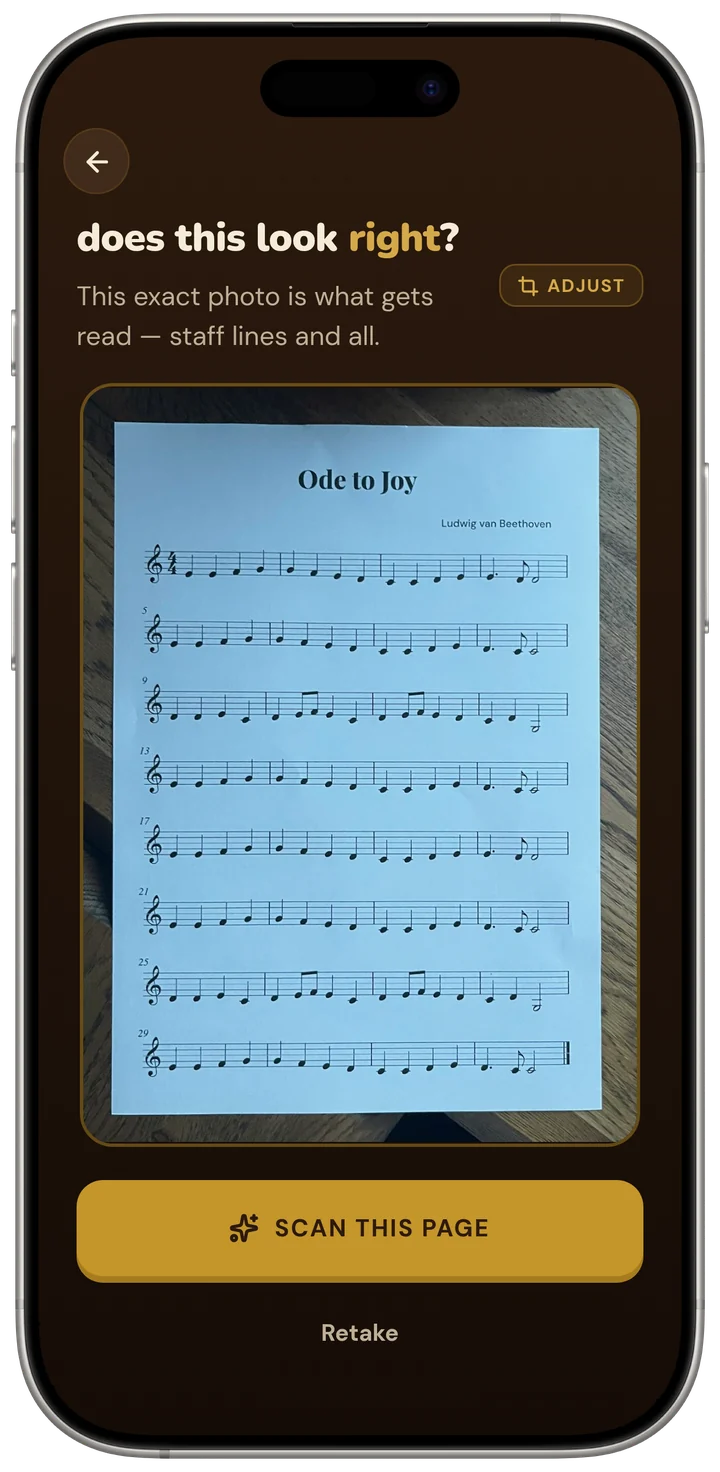
- Single-line parts in treble clef are the easiest case for optical music recognition: one staff, no brace, no hands to tell apart.
- Photograph one page at a time, square-on, with the staff filling the frame, and the part comes back ready to play.
- Playback is generated from the notes, so you can slow it right down without the pitch moving, a clean reference for intonation.
- The coach has read the part, so questions about shifting, fingering and which bars to drill get answers by bar number.
The hard problems in reading music from a photograph are almost all about structure. Piano music has two staves that must be braced together, voices with opposing stems, and notes beamed across the hands. A choral score has four or more staves that all have to line up. A violin part has none of that. There is one staff per system, the clef almost never changes, and the rhythm is one voice at a time.
What is left are the ordinary difficulties: ledger lines high above the staff, accidentals, grace notes, dense semiquaver runs. Those are things a good scanner handles well on a printed page. In Sheetly’s own benchmark, single-staff pieces are consistently among the cleanest reads, and the mistakes that do appear tend to be in the photograph rather than in the notation: a shadow across the staff, a page that curls at the spine, a shot taken at an angle.
So for a violinist, the question is rarely “will it read my part?” It is “what do I do with it once it plays?”
Scanning a part
Getting a clean read of a violin part takes about as long as taking a photograph, because that is all it is. A few habits make the difference between a perfect read and a rescan.
- One page, flatParts usually come as loose sheets or thin booklets, which is a gift: lay the page on a table and it lies flat on its own. If it is a bound method book, press the spine down so the staves stay straight.
- Square-on, staff filling the widthHold the phone parallel to the paper, centred on the page. The staves should run straight across the frame. The full set of photography habits is here.
- Mind the lightA music stand under a lamp casts your own shadow across the page. Step to the side, or take the page to a table. Even, flat light is the single biggest factor in a clean read.
- Listen once at tempoWhen the part comes back, play it straight through at the written tempo. A wrong note stands out to the ear immediately; a missed accidental sounds like a note that does not belong in the key.
- Then slow it downDrop the tempo to something you can actually play, loop the bars that give you trouble, and start working.
If you have a PDF of the part rather than paper, whether an orchestra librarian sent it or it came from IMSLP, import that directly and skip the camera altogether.
Using playback to practise
For a string player, the value of hearing the part is not just knowing how it goes. It is having a reference that never drifts. Three things in particular become possible once the page has a play button.
An intonation reference that does not move
Tuning a note by ear means comparing it to something. Playing along with the part at a slow tempo gives you a pitch to aim at for every note, not just the open strings, and because the playback is generated from the notes rather than from a recording, slowing it down does not flatten the pitch the way a slowed recording does. Play the passage against it, listen for the beats, adjust.
Hearing the piece before you can play it
A part you have never heard is a part you are learning blind, and the wrong notes you practise in the first week are the ones that take the longest to unlearn. Hearing it first gives the practice somewhere to go: the shape of the phrase, where the line peaks, which notes are passing and which are structural.
Looping the shift that keeps going wrong
Most of the difficulty in a violin part lives in a handful of places: a shift, a string crossing, a run that will not stay even. Playing from the top ten times practises the easy opening ten times and the hard bar once. Looping the four bars that matter inverts that, and keeping the tempo slow enough that the shift lands cleanly every time is how it becomes reliable.
Recording your own take
Record yourself playing against the part, then listen back. Where you rushed, where the intonation slid, where the rhythm in bar 11 was not quite what was written: all of it is easier to hear from outside than from behind the instrument.
Playback is a reference for checking yourself, not a substitute for reading the part. If you find you have stopped looking at the page and are playing from memory of the sound, you have switched from learning to read into learning by ear. Read first; check second.
Asking about fingering and positions
Once a part has been read, it can be asked about. The coach in Sheetly has the actual notes of the part you just scanned, so a question about a shift, a fingering or a string choice gets an answer about what is written in your bar, not a general lecture about positions.
“Does bar 9 need a shift?” is a different question from “how do I shift to third position?”, and it gets a different answer, one that looks at how high the line goes, where it comes from and where it is heading. So is “should I play this on the A string or the E?”, or “which four bars should I work on tonight?”.
It is not a teacher and does not replace one. It is closer to having someone knowledgeable in the room the night before the lesson.
Ask Sheetly: a coach that has read your score
Not a chatbot bolted onto a music app. The coach has the actual notes of the part you just photographed, so you can ask about your bar 9 and get an answer about what is written in it.
We know of no other sheet-music scanner that does this. Every other tool in this category hands you a transcription and stops.
 Free to download · iPhone and iPad
Viola, cello, winds
Everything on this page applies to any single-line part. Sheetly reads the common clefs, so a viola part in alto clef and a cello part in bass or tenor clef read the same way a violin part does. So do flute, oboe, clarinet, trumpet, horn and the rest of the single-line instruments.
Transposing instruments are worth one note of care: a clarinet or horn part is printed in its written key, and Sheetly plays what is written on the page. That is the right thing for practising from the part, which is what you will be reading anyway; just be aware that it will not sound at concert pitch alongside a piano part scanned separately.
Multi-stave music, such as a sonata with piano or a string quartet score, is a different and harder case, because the staves have to be grouped correctly. The piano guide explains why, and the same care applies.
Questions
Can an app scan violin sheet music and play it back?
Yes. A violin part is a single staff of printed notation, which is the case optical music recognition reads most reliably. Sheetly photographs the page, reads the pitches and rhythms, and plays the part back at any tempo, with the option to loop a passage or switch the sound to another instrument.
Does a violin sheet music scanner read fingerings and bowings?
Sheetly reads the notes, rhythms, clefs, key and time signatures, and plays those back. Fingering numbers, bowing marks and position indications are not part of the playback, though you can ask the coach about fingering and positions for any bar, because the coach has the notes of the part you scanned.
Can I hear my violin part slowed down without changing the pitch?
Yes. Playback is generated from the notes rather than from a recording, so dropping the tempo in Sheetly does not change the pitch. Set any tempo, loop the bars that need it, and walk the speed back up as the passage settles.
Will it play the part on a violin sound?
Yes. Violin is one of the playback sounds, and you can switch the same part to viola, cello, piano, organ or any other instrument on the list. For a string player the point of the playback is the pitches and the rhythm: a clean reference to tune against and keep time with.
Does it work for viola and cello parts too?
Yes. Viola parts in alto clef and cello parts in bass or tenor clef are single-line printed notation, and Sheetly reads the common clefs. The same goes for flute, clarinet, trumpet and other single-line instrumental parts.