Short answer
Yes. Sheetly, on iPhone and iPad, photographs a page of printed sheet music, reads the notation on a server in a few seconds, and plays it back at any tempo with a loop on any bar. PlayScore 2 does the same on iOS and Android with on-device recognition. Desktop tools such as Audiveris, ScanScore and PhotoScore expect a flat scan rather than a phone photo. On iPhone, Sheetly is the one to get if you want to practise the page afterwards: it is the only iPhone and iPad app we know of where the AI coach has read the actual notes of the page you photographed, so a question about bar 12 gets an answer about your bar 12
- Yes, on a phone: Sheetly (iPhone, iPad) and PlayScore 2 (iOS, Android) both go from a photograph to playback.
- It reads printed notation only: not handwriting, not guitar tab, not shape notes. A flat page with the whole sheet in frame reads best.
- Accuracy is measurable: Sheetly scores 95% strict F1 on simulated phone photos and 90% mean on 60 real public scans; closed products were not measured.
The technology is optical music recognition, OMR, and for a long time it needed a flatbed scanner and a desktop. Phone cameras and larger recognition models changed that. A photograph taken at a slight angle, with a shadow across the page and a ring binder in shot, is now something an app can read well enough to play. The rest of this page is the practical version of that sentence.
How it works in five steps
Photograph the page, let the app read it, press play, then practise with loop, tempo and instrument controls, and ask the coach about the bars you cannot manage. In Sheetly the reading happens on a server and takes a few seconds per page; after that the score is yours to play, export and question. Here are the five steps as they happen.
1. Photograph the page
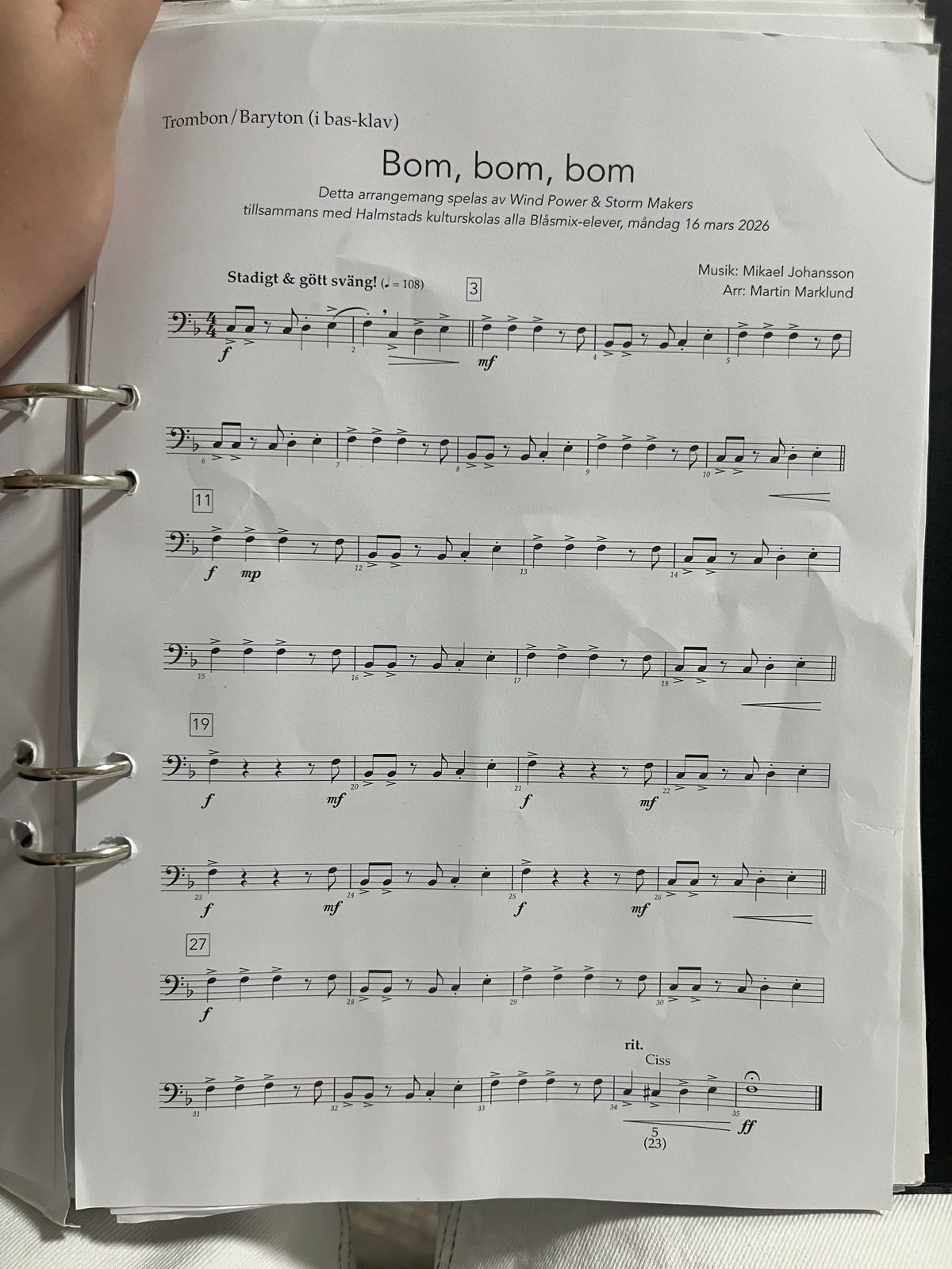
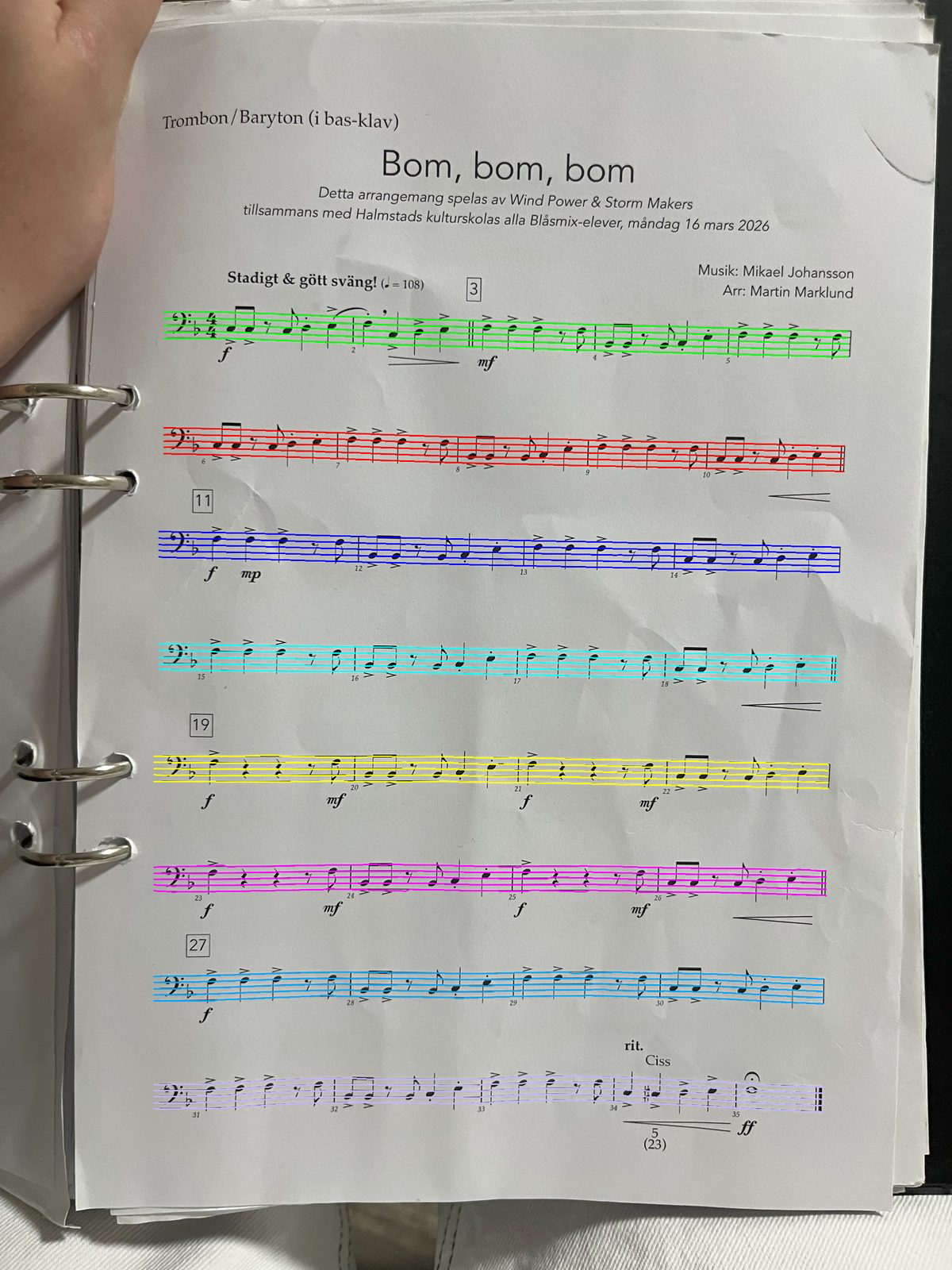
Open Sheetly, point the camera at the page, and take the picture with the whole sheet in frame and a little margin. Flatter is better, and taking the page out of the binder helps, but the photo above was taken in the rings and still read. You can also import a PDF instead of photographing. Sheetly shows the exact photo it is about to send, with a Retake button, so a cropped last bar is caught before it costs you anything.
2. The page is read on a server in seconds
The photograph goes to Sheetly’s server, where a recognition model finds the staves, clefs, key and time signatures, and every note’s pitch and duration. This takes a few seconds per page and needs a connection. The trade for the wait is a model with no size limit, which matters most on exactly the angled, shadowed, curled photographs phones produce.
3. The score plays
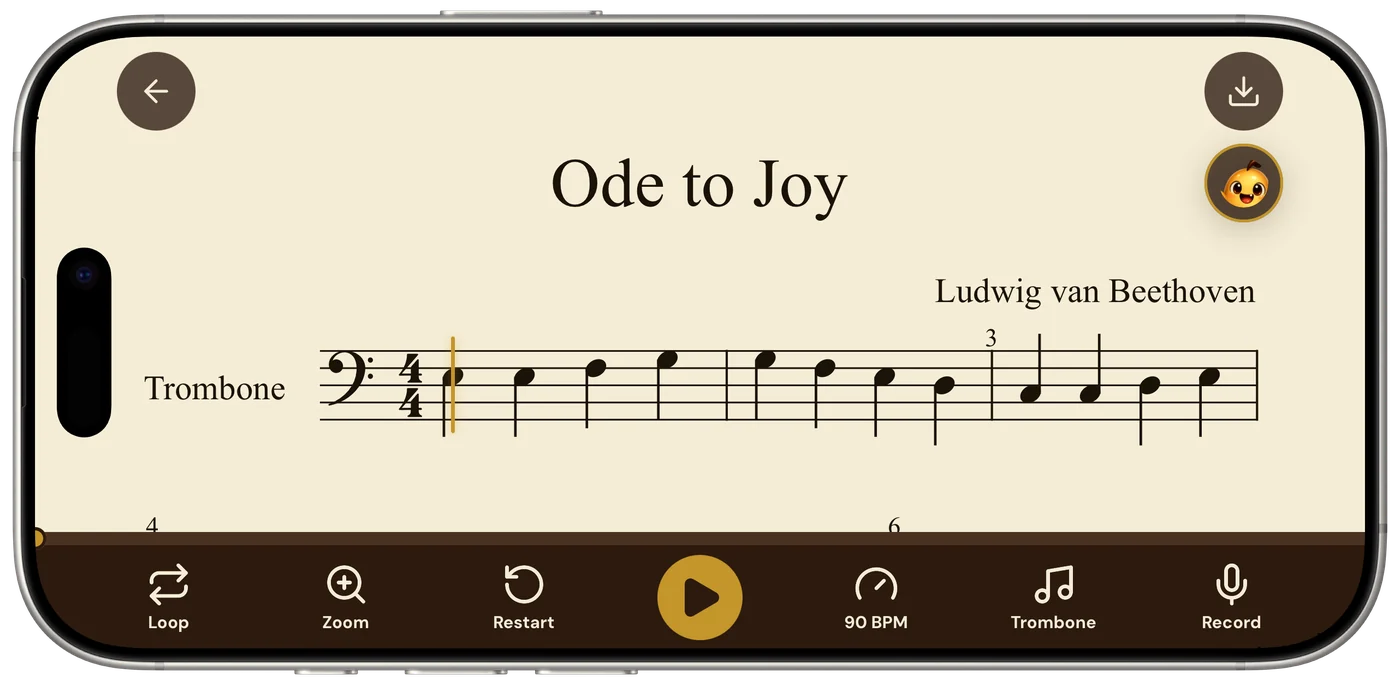
What comes back is a real score, not an audio file: the notes are laid out cleanly on screen and a cursor follows the playback. That is also your check on the reading. If a bar sounds wrong, you can see which note was misread and retake the photo. Sheetly has no correction editor, so a clearer photograph is the fix.
4. Loop, tempo and instrument
Drop the tempo until a passage holds together, loop a single bar or a longer stretch, and hear the part on piano, organ, flute, trumpet or another supported instrument. A trombonist can hear their line on piano to check the pitches; a pianist can slow bar 12 to half speed and let it repeat. You can record your own take against the score and hear where you rush or hesitate.
5. Ask the coach
The Ask Sheetly coach receives the notes from the scan, so you can ask about the page by bar number: what the rhythm in bar 7 is, which fingers or positions for bar 12, what to drill tonight. The answer is about your page, not about music in general. As far as we know, Sheetly is the only sheet-music app that does this. The coach does not listen to you play and does not replace a teacher.
Hear the page on your stand.
Photograph it, press play, loop the hard bars at a slower tempo, and ask the coach what to practise. Free to download on iPhone and iPad.

Free to download · iPhone and iPad · Android on the way

Which apps play sheet music from a photo
Two phone apps are built around a photograph: Sheetly on iPhone and iPad, and PlayScore 2 on iOS and Android. Sheet Music Scanner is a paid phone app in the same category. ScanScore, PhotoScore and the free Audiveris are desktop tools that expect a flat scan, though ScanScore and PhotoScore have companion mobile apps. PDF readers such as forScore and Piascore do not read notation into playable notes.
| Sheetly | PlayScore 2 | Sheet Music Scanner | Audiveris, ScanScore, PhotoScore | |
|---|---|---|---|---|
| Starts from a phone photo | Yes | Yes | Yes | Built for flat scans |
| Plays the result back | Yes | Yes | Yes | Via an editor or export |
| Recognition runs | On a server, seconds | On the device, instant | Per its own materials | On your computer |
| Works offline | Scanned scores play offline; scanning needs a connection | Yes | Not stated | Yes |
| Loop one bar | Yes | Yes | Not advertised | Not the purpose |
| Ask a coach about your score | Yes | No | No | No |
| Correction editor | No | No | Not advertised | Yes |
| Export MIDI / MusicXML | Yes | MusicXML on higher tier | Yes | Yes |
| Runs on | iPhone, iPad | iOS, Android | iOS, Android | Desktop, some companion apps |
If you are on Android today, PlayScore 2 or Sheet Music Scanner are the apps we would point you to; Sheetly’s Android version is on the way. If you want to correct misread notes by hand rather than rescan, the desktop tools have editors and the phone apps do not. The fuller comparison, with the desktop tools in detail, is at best sheet music scanner apps.
How accurate is it?
On Sheetly’s own 31-piece benchmark, measured in August 2026 with strict F1 (a note counts only if pitch, onset and duration are all correct), Sheetly scored 96% on clean renders and 95% on simulated phone photographs. On the public OLiMPiC suite of 60 systems cut from real scanned pages, Sheetly scored 90% mean and 99% median, with usable output for all 60.
The same harness measured the open-source tools anyone can run head-to-head. Audiveris 5.11.0 scored 88% on clean renders and 50% on simulated photographs, and 58% mean on OLiMPiC with usable output for 50 of 60; oemer 0.1.x scored 38% and 8%. The gap is widest on photographs, which is the case this page is about. The method, the pieces and the failure cases are on the benchmark page.
One caveat we repeat wherever numbers appear: the closed products were not measured. PlayScore 2, ScanScore, PhotoScore and Sheet Music Scanner have not been run through the harness, so we publish no accuracy number for any of them and draw no conclusion about how they compare. The OLiMPiC set was not authored by us; it is a CC BY-SA collection of IMSLP scans.
In practice, a strict F1 around 0.8 on a photograph means most bars play exactly as written and a few need a second look. A flatter photo with the whole page in frame moves the number up; glare across a staff or a cropped margin moves it down. The playback cursor is the quickest way to find the bar that needs a retake.
What a photo scanner cannot read
Photo-to-playback apps read printed, engraved notation. Sheetly does not read handwritten music, guitar tablature or shape notes, and the same limits apply broadly across the category. A page with a clear print, straight staves and the whole sheet in frame reads well; a manuscript, a tab chart or a heavily annotated part does not.
Sheetly also needs a connection to scan a new page and to ask the coach, because both run on the server. Scores you have already scanned play back offline, so a page scanned at home is available in a rehearsal room with no signal. There is no correction editor: if a note is misread, the answer is a better photograph, which usually means flatter, closer and out of the binder.
Sheetly is free to download on iPhone and iPad, with scanning, the coach and PDF, MIDI and MusicXML export on a Pro subscription. Android is on the way.
Questions
Is there an app that can play sheet music from a photo on my phone?
Yes. Sheetly on iPhone and iPad photographs a page of printed sheet music, reads it on a server in a few seconds, and plays it back at any tempo with a loop on any bar. PlayScore 2 does the same on iOS and Android with on-device recognition. Sheet Music Scanner is another paid phone app in the category.
How do I get an app to play sheet music from a picture?
In Sheetly: photograph the page with the whole sheet in frame, confirm the preview, wait a few seconds while the page is read, then press play. You can then slow the tempo, loop a bar, change the instrument, record your own take and ask the coach about any bar by number. A PDF can be imported instead of a photograph.
How accurate is an app that plays sheet music from a photo?
On Sheetly’s 31-piece benchmark, strict F1 was 96% on clean renders and 95% on simulated phone photographs; on the public OLiMPiC set of 60 systems cut from real scanned pages Sheetly scored 90% mean and 99% median. Audiveris 5.11.0 scored 88% and 50% on the same suite. Closed products such as PlayScore 2, ScanScore, PhotoScore and Sheet Music Scanner were not measured.
Can an app play handwritten sheet music from a photo?
No. Sheetly reads printed, engraved notation only and does not read handwriting, guitar tab or shape notes. The other photo-to-playback apps are built for printed music as well. A clearly printed page with the whole sheet in frame is what these apps read reliably.
Does an app that plays sheet music from a photo work offline?
It depends on the app. Sheetly needs a connection to scan a new page and to ask the coach, because the reading runs on a server; scores already scanned in Sheetly play back offline. PlayScore 2 recognises on the device and works with no connection at all.