A crumpled trombone part, a ring binder, and a phone
A bent school-band part, photographed one-handed in its binder, rings and shadow included, and what the scanner made of it.
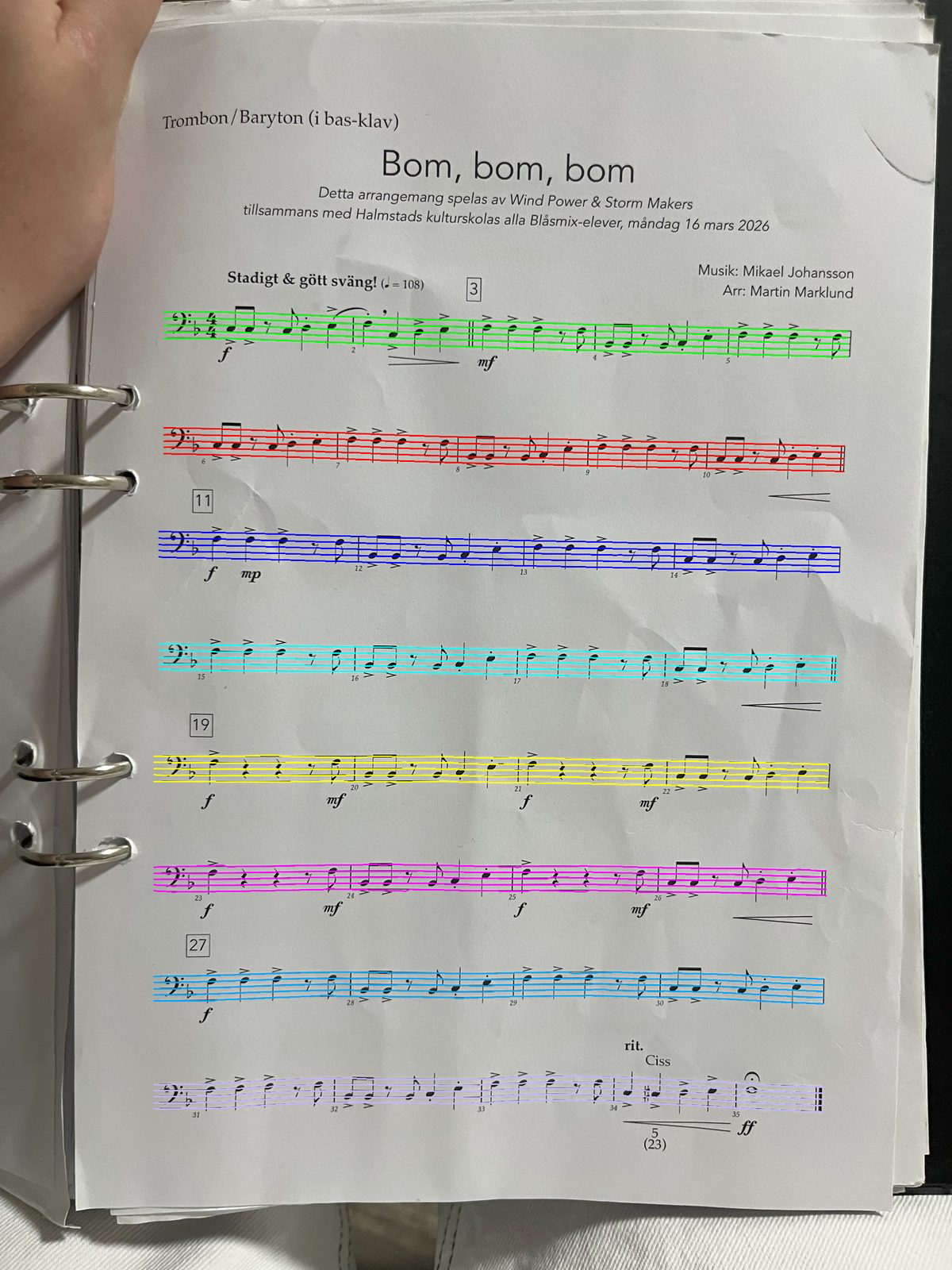
This is a real page from a real binder. It belongs to a school band trombone and baritone part, it has been folded at least once, and it was photographed with one hand while the other held the binder open. The rings are in shot. The top corner is curled. There is a shadow across the left edge where the hand is. Nobody flattened it, nobody cropped it, and nobody put it on a table.
What the scanner sees
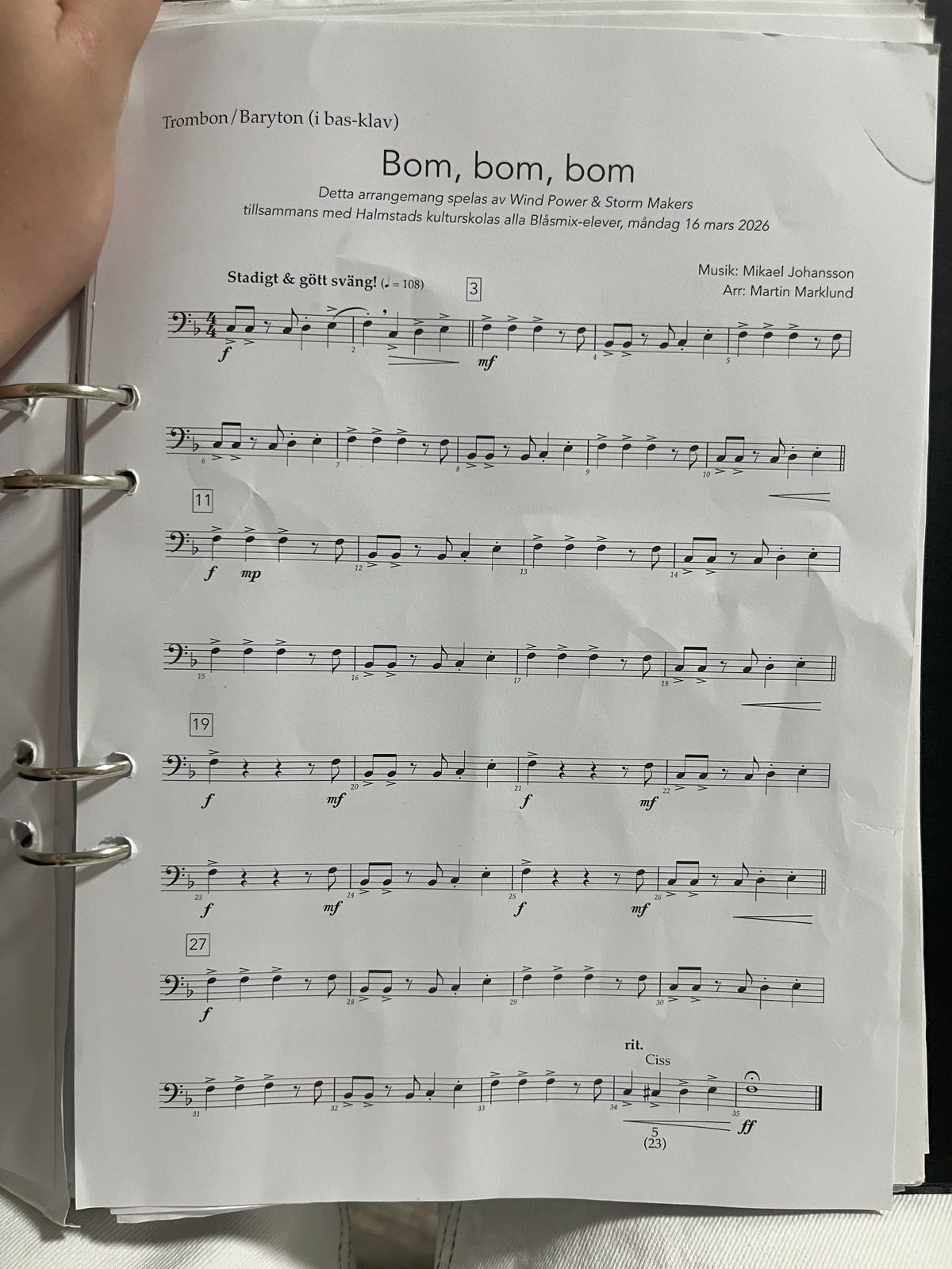
Before Sheetly reads a single note, it has to find the staves. Here is the same photo with each staff it found highlighted in its own colour. All eight systems are there, from the first bar under the tempo marking to the fermata at bar 35. The highlights follow the slight tilt of the page rather than fighting it, and the crease running through the middle of the sheet did not split any staff in two.
This step matters more than it looks. Once the staves are located, everything else has a frame of reference: a notehead is a pitch because of where it sits on those five lines, and a rest belongs to a bar because of which staff it is on. Get the staves right on a bent page and the bent page stops being a problem. There is more on how that works in what optical music recognition actually does.
What you get back
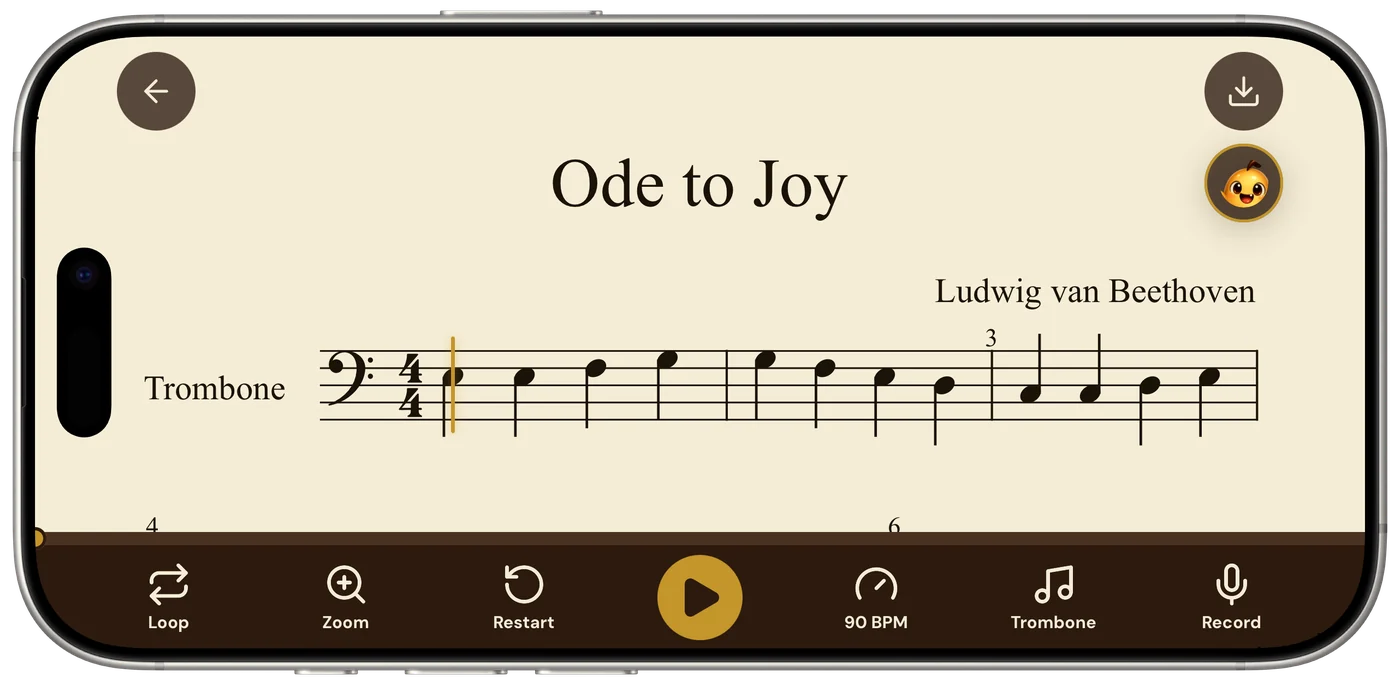
About a minute later the part is a score in the app, with a playhead, a tempo you can change, and a Loop button. The binder page stays in the binder. The phone now has the notes.
The point
Most band music does not live on a flatbed scanner. It lives in a binder, on a stand, in a bag, and it gets photographed in a rehearsal room under whatever light there is. If a scanner only works on a clean, flat, evenly lit page, it only works on pages you rarely have.
Sheetly reads printed notation, and it was measured on photographed pages, not just on clean ones. On our own 31-piece suite the strict note-by-note score was 96% on clean images and 95% on simulated photos; Audiveris 5.11.0, a free desktop tool that expects flat scans, dropped from 88% to 50% on the same photos. Closed products such as PlayScore 2 and ScanScore were not measured, so we make no claim about them.
The page did not need to be flat. It would still have been kinder to it to open the rings and lay it on a table. Five habits that make that easy are in how to photograph a page that lives in a binder.
If you have a binder like this one, open Sheetly on your iPhone, point it at the page and press Scan. You do not have to take the page out first.
Scan the page where it lives.
Sheetly reads printed parts straight from the binder on your iPhone or iPad, then plays them back at any tempo.

Free to download · iPhone and iPad · Android on the way

 Written by Love Ranmar, who makes Sheetly. hello@trysheetly.com
Questions
Does a crease or a shadow break the scan?
Usually not. The page in this story had a fold, a shadow from the holding hand and three binder rings in frame, and it read. What the scanner needs is visible staff lines and even light; it does not need a flattened, cropped page.
Do I need a flatbed scanner or a scanning app first?
No. This was a one-handed phone photo of a page still in its binder. How well phone photographs read is measured openly in the benchmark: photographs, not just clean PDFs.
What if a bar comes out wrong?
Check it against the paper and rescan with more even light if a passage misread. Sheetly never invents notes to fill a gap, so what you hear is what was read. A wrong bar is a misread, not a guess.