How to Scan a Crumpled Trombone Part Straight From a Ring Binder
Is your part folded, curled and stuck in a binder? In this story, we scan a real crumpled trombone part photographed one-handed, show what the scanner found on it, and share the habits that give you a good scan of any page that lives in a binder.


Most band music never sees a flatbed scanner. It lives in a ring binder, gets folded into a bag, and comes out on a music stand under whatever light the rehearsal room has. So when people ask whether you can scan a crumpled trombone part straight from the binder, the honest way to answer is to try it on a real one.
Scanning sheet music means turning a photo of printed music into a score an app can read and play. For that to work, the app has to find the music on the page first: the lines, the notes, the rests, the bar lines. A crease, a curled corner or a shadow can make that harder, and a few simple habits make it much easier.
In this story, we show you a real page photographed one-handed in its binder, what the scanner found on it, and what came back. Then we walk you through five habits for photographing any page that lives in a binder, and how to check the result against the paper.
The page, exactly as it was
This is a real page from a real binder. It is a school band part for trombone and baritone in bass clef, called Bom, bom, bom. It has been folded at least once, and it was photographed with one hand while the other held the binder open. The rings are in the shot. The top corner is curled. There is a shadow across the left edge where the hand is. Nobody flattened it, nobody cropped it and nobody put it on a table.
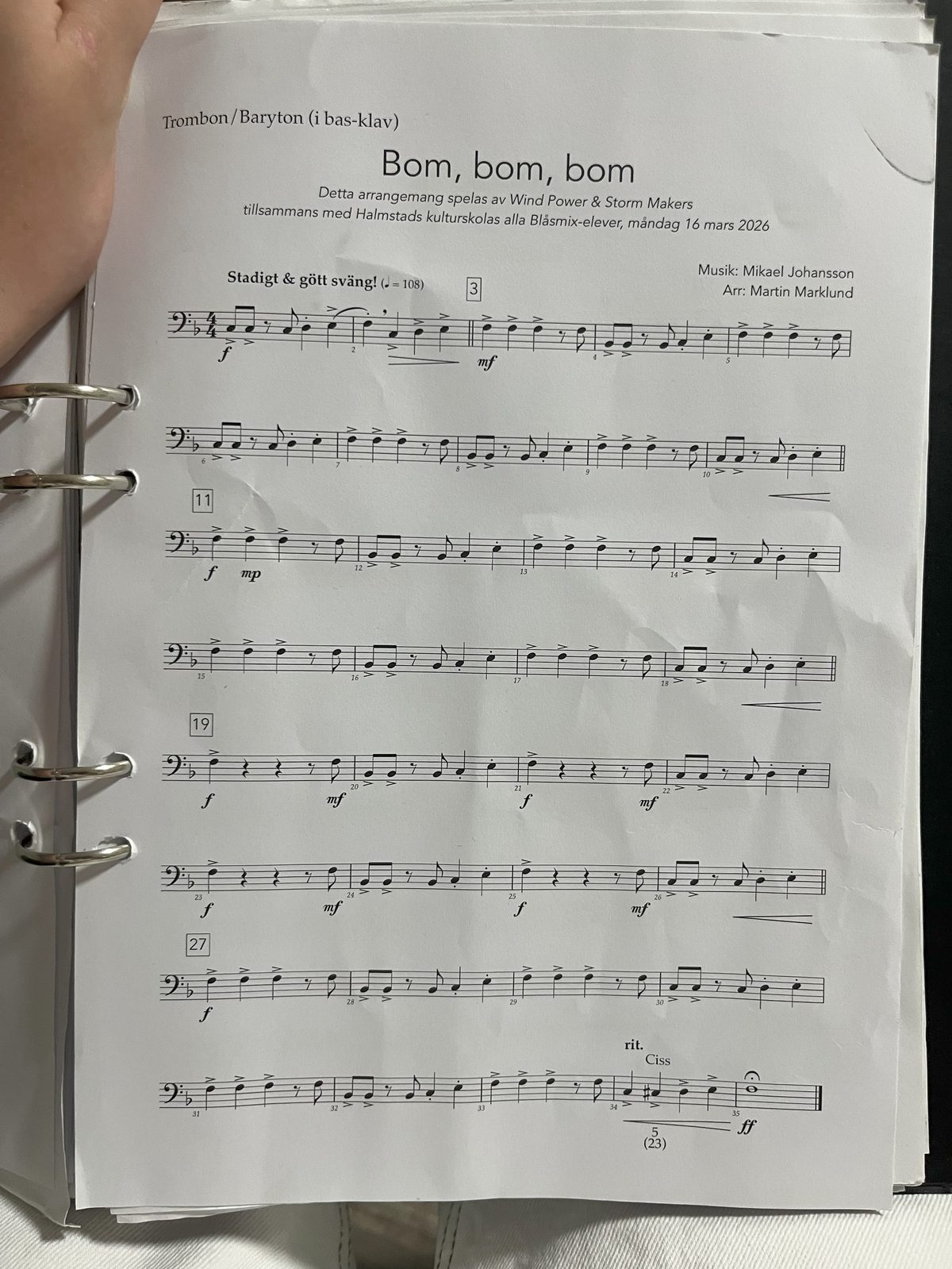
What the scanner looks for first
Before Sheetly reads a single note, it has to find the staves: the sets of five lines that every line of music is written on. Here is the same photo with each staff it found highlighted in its own colour.
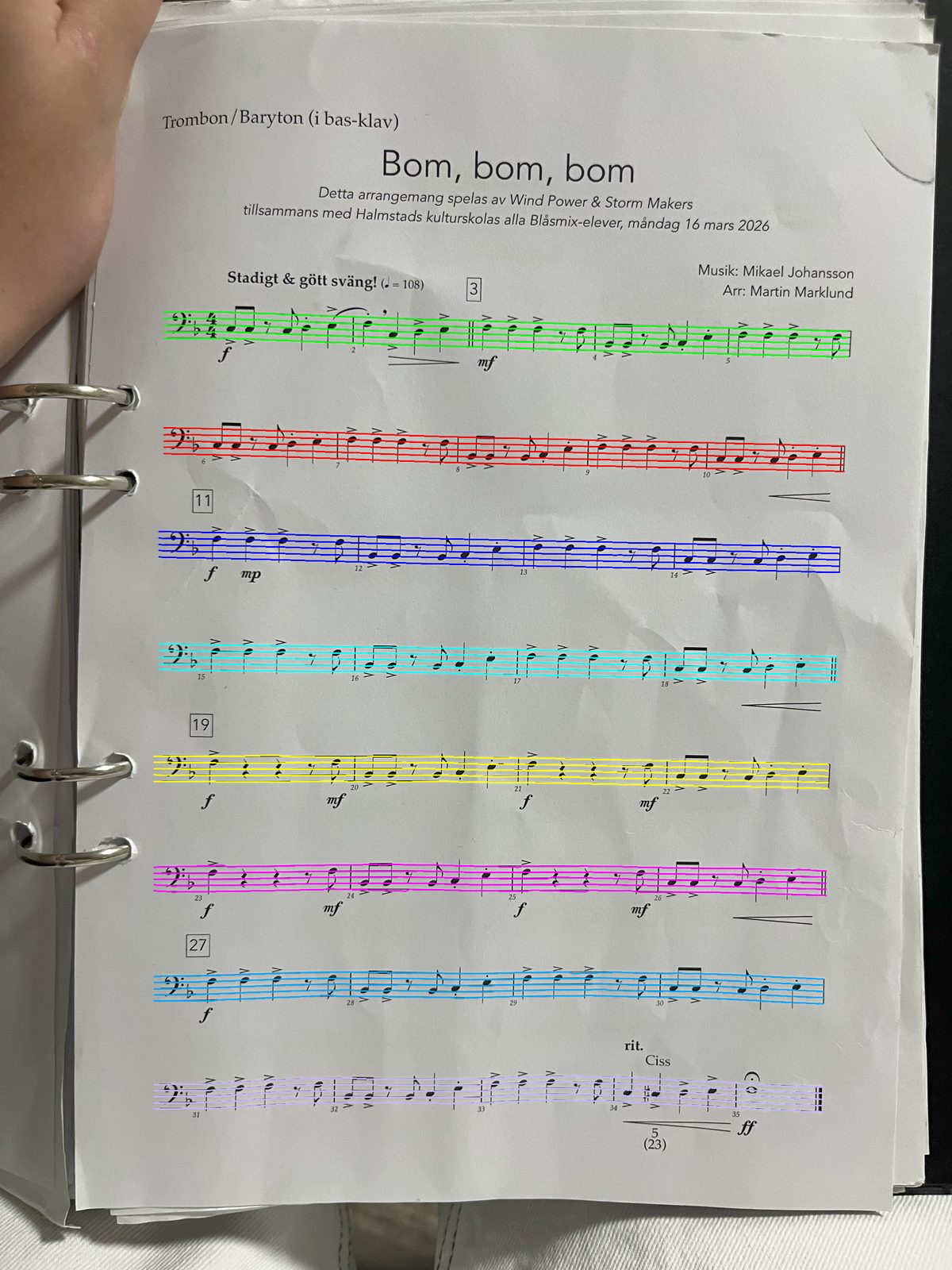
All eight lines of music are there, from the first bar under the tempo marking to the very last bar. The highlights follow the slight tilt of the page rather than fighting it, and the crease running through the middle of the sheet did not split any staff in two.
This step matters more than it looks. Once the staves are found, everything else has a frame of reference. A note head is a pitch because of where it sits on those five lines, and a rest belongs to a bar because of which staff it is on. Get the staves right on a bent page, and the bent page stops being a problem. That is also why the habits below are mostly about one thing: keeping the staff lines clear, straight and sharp.
About a minute later, the part was a score in the app, with a playhead, a tempo you can change and a Loop button. The binder page stayed in the binder.
How to photograph a page that lives in a binder
The page above did not need to be flat to work. Still, a better photo always helps, and these habits take only a few seconds.
Step 1: Get the whole page in the frame
Hold the phone far enough away that the whole page fits, with a small margin on every side. It is tempting to move in close so the notes look big, but if the top or bottom line of music is cut off, the scanner cannot read what it cannot see.
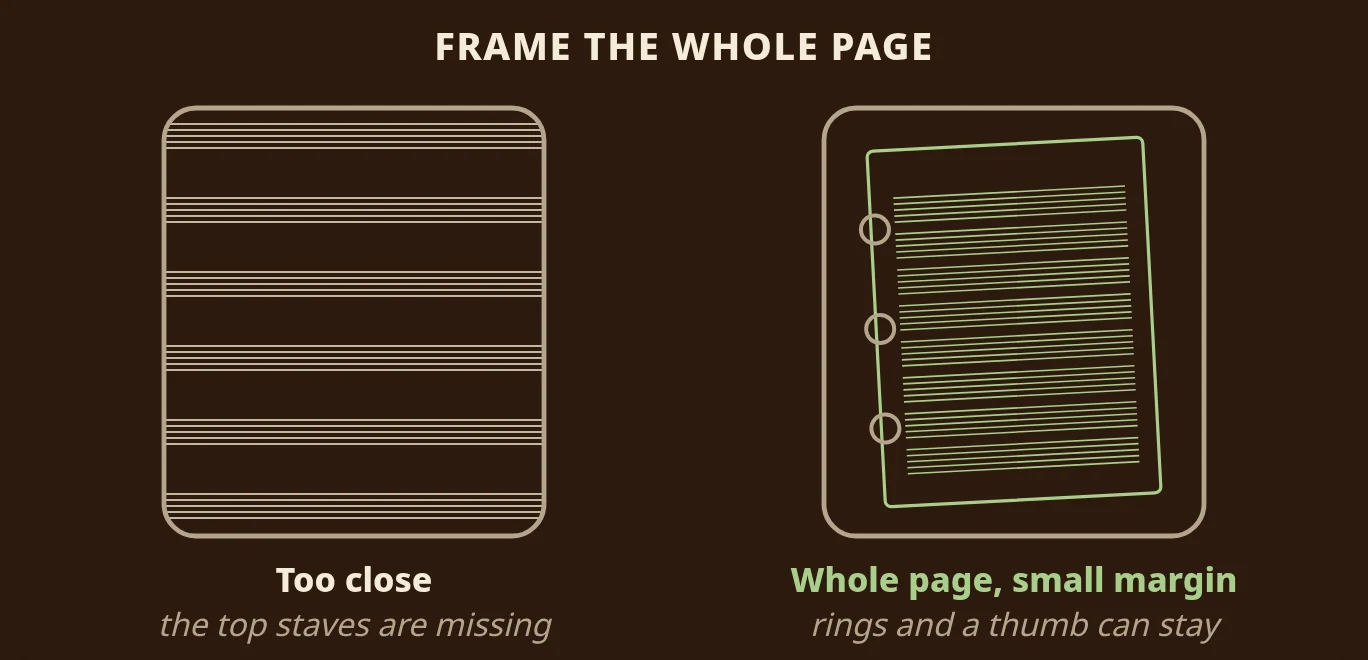
Binder rings, a thumb on the corner and a bit of table around the edge are all fine. What matters is that every staff is inside the photo.
Step 2: Hold the phone flat above the page
Try to hold the phone parallel to the page, straight above it, rather than at an angle. A slight tilt is fine, as the photo above shows. A steep angle makes the far lines of music smaller and closer together than the near ones, which is harder to read.
Step 3: Find even light
Light from a window or a lamp to the side is ideal. Avoid holding the phone between the light and the page, because the phone's own shadow then falls right across the music. If the paper is glossy, tilt it slightly until the bright reflection moves off the notes.
Step 4: Keep the staff lines sharp
Hold still for a moment before you take the photo, and tap the screen on the music if your camera lets you focus. If you can, open the rings and lay the page on a table, or prop the binder against something so you have both hands free. The sharper the five lines of each staff, the easier the scanner's first job becomes.
Step 5: Check the result against the paper
Once the scan is ready, press play and follow along on the paper. If a bar sounds wrong, look at that bar on the page and in the app. If a passage was misread, take the photo again with more even light. Sheetly never invents notes to fill a gap, so what you hear is what was read. A wrong bar is a misread, not a guess, and a better photo usually fixes it.
What to do with the part once it plays
A part that plays is a practice tool, not just a copy. The first time you open it, listen all the way through with the paper in front of you and follow every bar with your eyes. Put a small pencil tick above any bar that surprised you: a rhythm you would have counted differently, a note you would have guessed wrong. Those ticks are your practice list. Then loop each ticked bar at a slow tempo until it matches what you heard. Our guide to looping one bar walks you through that step by step.
Scan the page where it lives
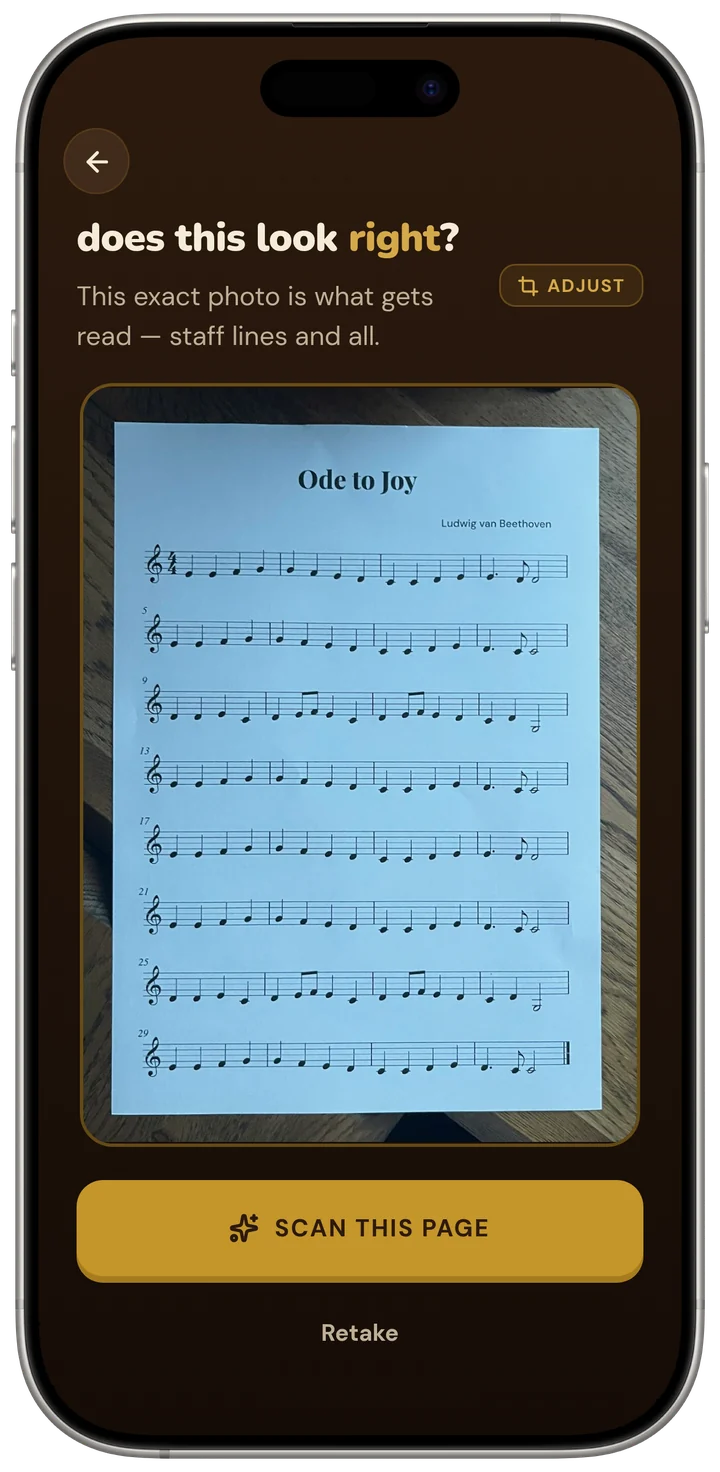
If you have a binder like this one, open Sheetly on your iPhone or iPad, point it at the page and take the photo. You do not have to take the page out first. Sheetly shows you the exact photo it is about to read, so you can retake it if the light or the framing is off, and you can photograph two to four pages in one go for a longer part. Sheetly uses AI plus a lot of its own code to read the page, then plays the part back on trombone or another instrument, at whatever tempo you choose.
Questions
Does a crease or a shadow break the scan?
Usually not. The page in this story had a fold, a shadow from the hand holding it and three binder rings in the photo, and it read. What the scanner needs is visible staff lines and even light, not a flattened, cropped page.
Do I need a flatbed scanner or a scanning app first?
No. This was a one-handed phone photo of a page still in its binder. Take the photo in Sheetly and it reads the page from there.
What if a bar comes out wrong?
Check it against the paper and take the photo again with more even light if a passage was misread. Sheetly never invents notes to fill a gap, so what you hear is what was read.
Can I scan a part that runs over several pages?
Yes. You can photograph two to four pages in one go, and Sheetly joins them into one score that plays from start to finish.