Ask Sheetly about bar twelve
A screenshot of one question and one answer, and why the answer could only have come from the page you photographed.
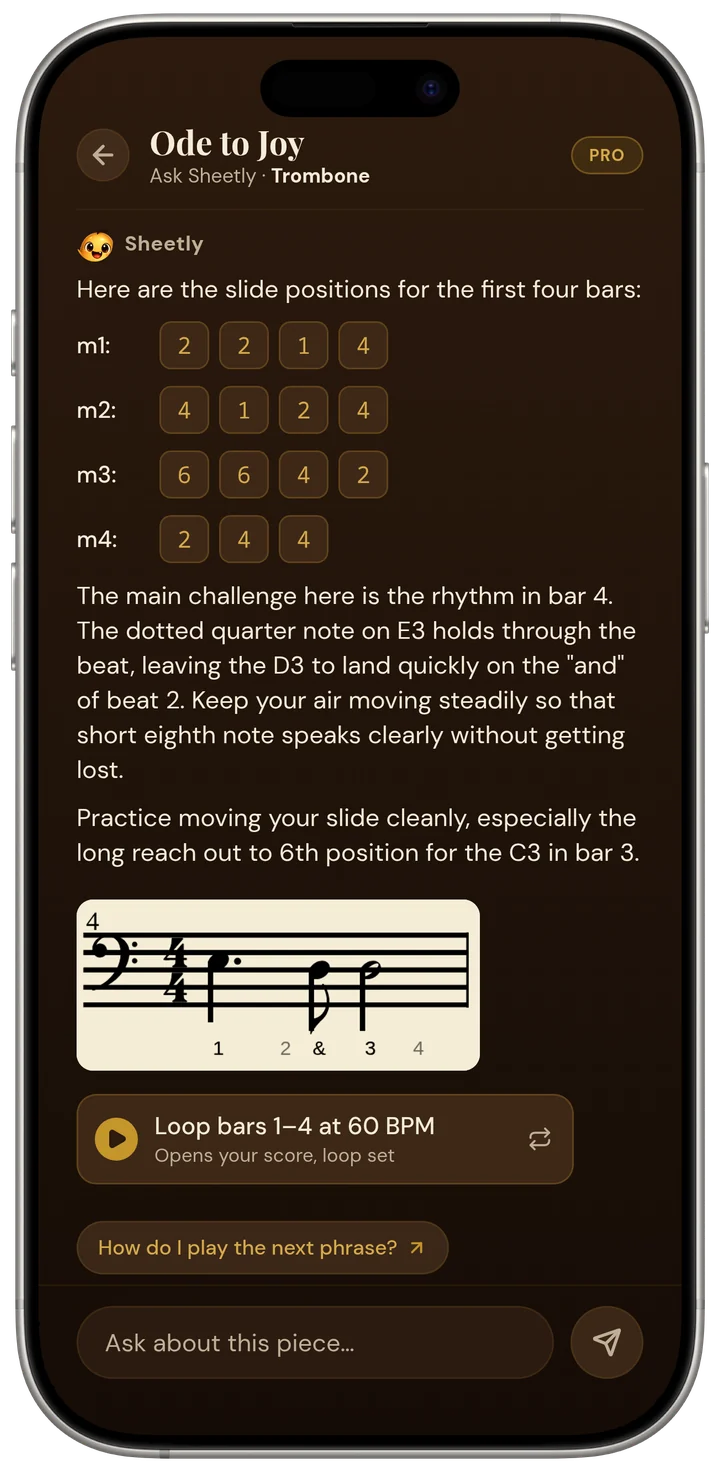
Here is the whole exchange, word for word. Someone opens Ode to Joy, taps Ask Sheetly, and types: how do I play the first notes in Ode to Joy?
The answer is not a paragraph about Beethoven. It is four rows of numbers, one per bar: m1 2 2 1 4, m2 4 1 2 4, m3 6 6 4 2, m4 2 4 4. Then one line: “Those are the slide positions for the first four bars.” Under it, two chips you can tap: What do the numbers mean? and Practice bar 1 slowly.
Why this is not a chatbot
Ask any general assistant the same question and you get something reasonable and useless: “Ode to Joy begins on the third degree of the scale, so start on E if you are in C major…” It does not know your edition. It does not know the part is in bass clef, or in which key the arranger put it, or that you play trombone. It is answering from memory of a famous tune.
Ask Sheetly answers from the page you scanned. When the scanner reads a photo or a PDF, it produces the actual notes: pitches, rhythms, bar lines. The coach is given that score, not the title. So when it says m3 starts on sixth position, that is because the third bar of your part has that note on it. Change the instrument in the player and the same notes come back as different advice, because a clarinet does not have a slide.
Bar numbers are the point
A good teacher never says “the middle bit”. They say “bar twelve, second beat”. Because the coach has the score, it can do the same. Ask what happens in bar twelve and you get bar twelve, not a guess at what bar twelve of a piece called Ode to Joy usually contains.
That also means it is useful for music nobody has heard of: a school band arrangement, a photocopied chorale, your own part from a ring binder. The coach does not need the piece to be famous. It needs it to be scanned.
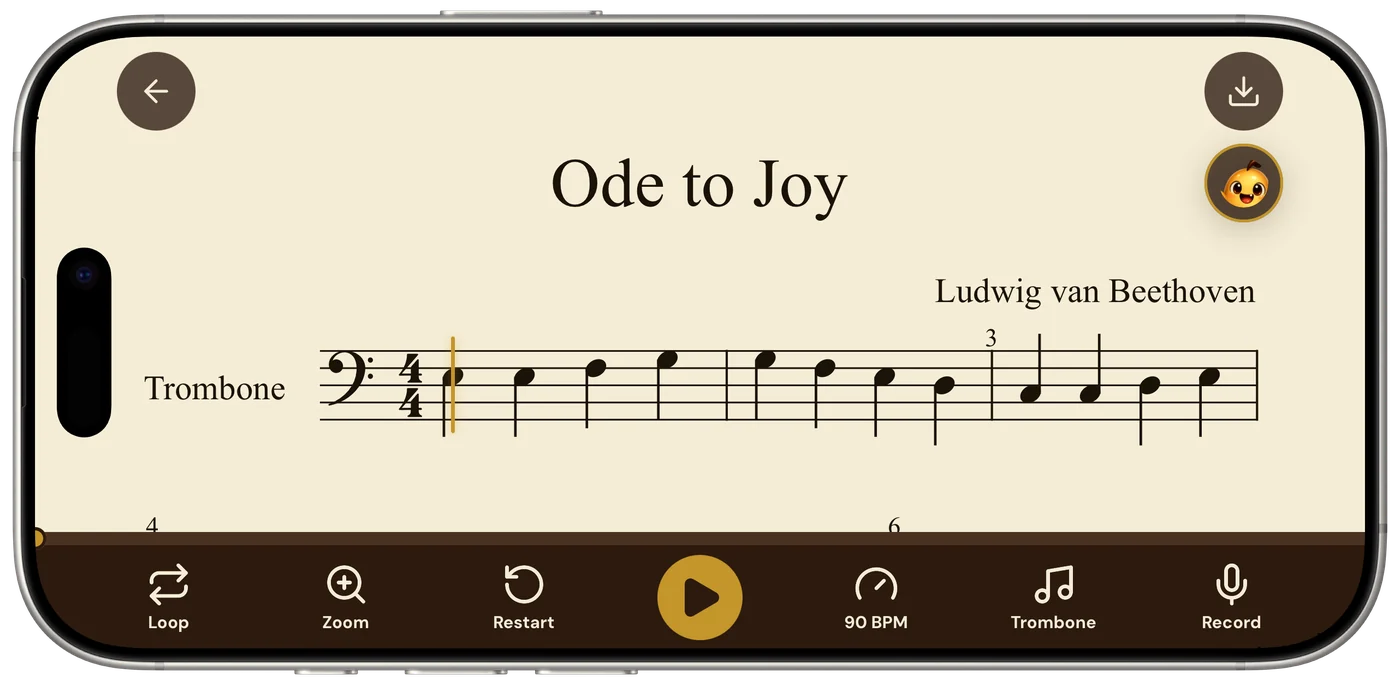
The follow-ups
The two chips under the answer are not decoration. What do the numbers mean? takes you from positions to an explanation for someone who has never seen slide positions written down. Practice bar 1 slowly is the honest next step: go back to the player, loop bar 1, pull the tempo down, and play it until it is boring. The coach can tell you where to look. The player is where you do the work.
Questions to the coach need a connection, and the counter in the corner shows how many you have left today. A scanned score, on the other hand, plays offline, so you can take the advice with you into the practice room.
Scan a page, open it, and ask about bar twelve. Sheetly is on the App Store for iPhone and iPad.
Ask about your page, not the famous one.
Scan a part, open the coach, and ask about any bar by number.

Free to download · iPhone and iPad · Android on the way

 Written by Love Ranmar, who makes Sheetly. hello@trysheetly.com
Questions
How does the coach know what is in my score?
Because it is handed the notes of the exact page you photographed before it answers. A question about bar 12 is answered from your bar 12, pitches, rhythms and all, not from a generic description of the piece.
Can I ask about any bar, or only the first ones?
Any bar. Name a bar number or a passage and ask how to play it, how to count it, or what to drill. The screenshot on this page shows slide positions for a trombone part; a piano part gets piano answers.
Is the coach free to try?
You get five free questions to see what it does. After those, the coach is part of Pro, together with scanning your own pages and exporting.