Optical Music Recognition (OMR): How Sheet Music Recognition Works
Wondering what optical music recognition is, or whether there is OCR for sheet music? In this guide, we explain how sheet music recognition turns a photo into notes, which OMR apps and software to use, free ones included, and where it still struggles.

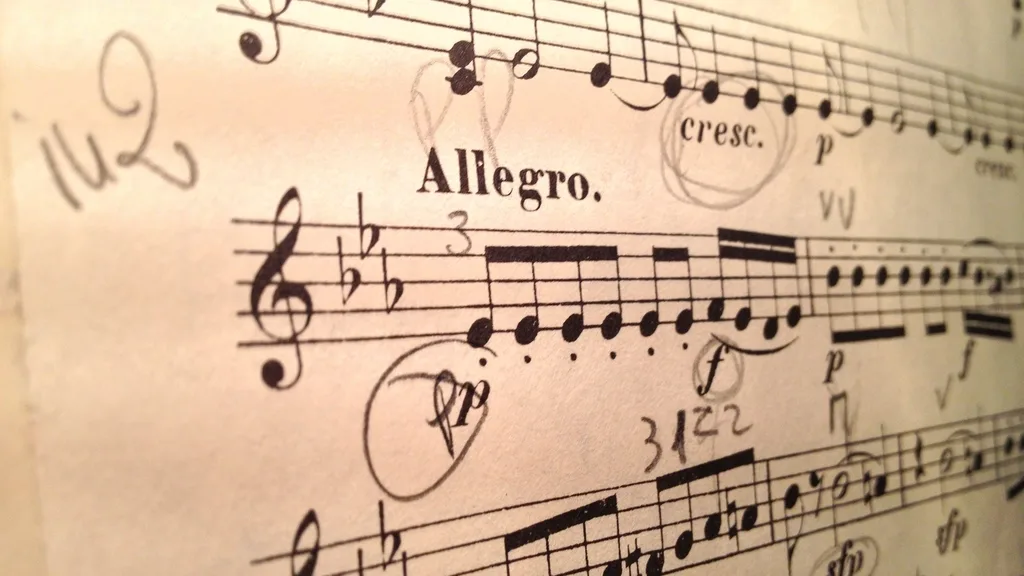
You take a photo of a page of music, and a little later your phone plays it back. It feels a little like magic. The technology behind it is called optical music recognition, or sheet music recognition, and you can think of it as OCR for sheet music. If you have ever wondered how a computer can look at dots and lines and know that one of them is a C sharp, or which optical music recognition software to try, this guide is for you.
Optical music recognition (OMR) reads musical notation from an image and turns it back into music that software can use, such as MusicXML or MIDI. It works out that the shapes on a photographed page mean a C sharp, a dotted eighth note and a change to 3/4 time. OMR is the musical cousin of OCR, the text recognition that reads a scanned letter, but as you will see, music is a much harder thing to read.
In this guide we explain why a normal text scanner cannot read music, walk you through the stages a computer goes through to read a page, with a picture for each idea, look at what phone photos add to the problem, and then go through the sheet music recognition software and apps you can actually use, including the free ones. If you just want to hear a page, our guide on how to play sheet music from a photo skips the theory and walks you through the steps.
Is there OCR for sheet music?
Yes: optical music recognition is OCR for sheet music, sometimes called sheet music OCR. A normal text OCR tool, the kind that copies words out of a photo or a scanned PDF, can read the title, the tempo word and the lyrics on a page of music. It cannot read the notes, because it does not know what a staff, a clef or a note head means. For that you need OMR.
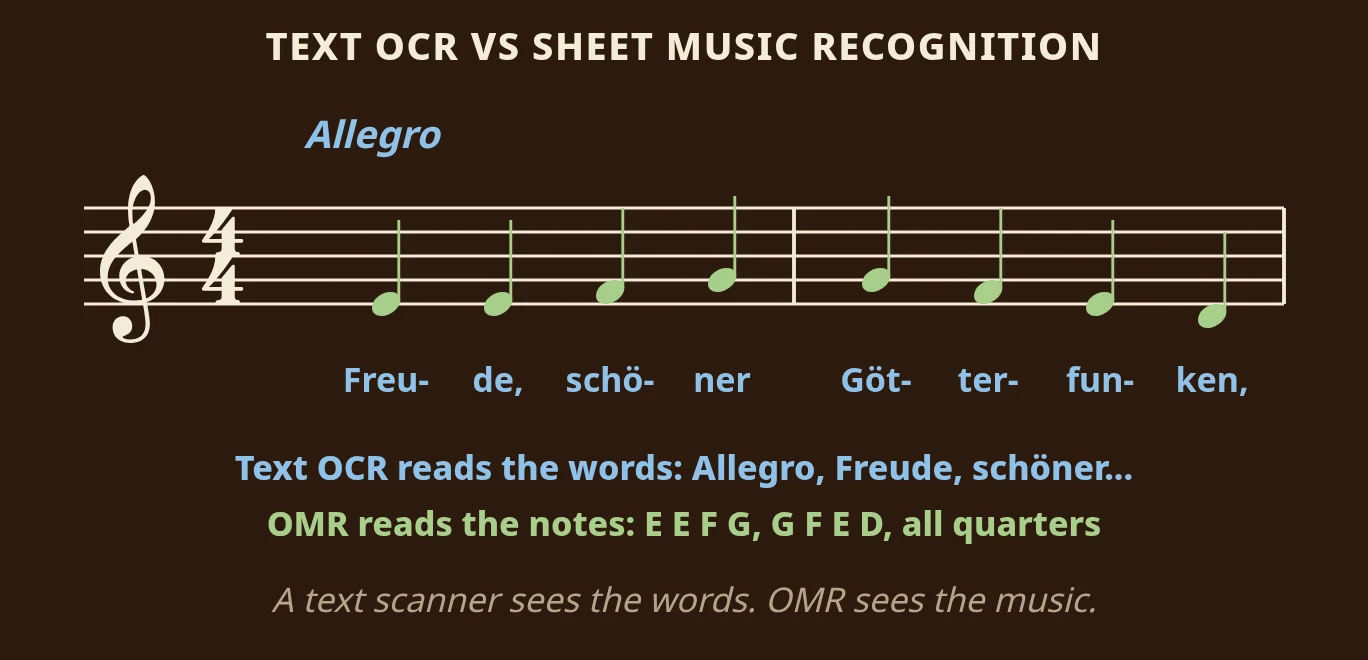
Here are the first two bars of Beethoven’s Ode to Joy, written in C major, with the German words underneath. A text scanner gives you back “Allegro” and the syllables “Freu-de, schö-ner Göt-ter-fun-ken”, which is useful, but it is not music you can play. Sheet music recognition reads the same picture and gives you E, E, F, G, then G, F, E, D, eight quarter notes in 4/4. The common mistake is to try a general document scanner on a page of music and expect notes to come out. Use a tool made for music instead.
Why sheet music recognition is harder than reading text
OMR and OCR share a goal: recover what a printer put on a page. But text is a line of symbols that mean the same thing wherever they sit, read in one direction, with a dictionary to settle doubts. Music has none of those conveniences.
Position carries the meaning
In text, the letter "a" is an "a" whether it sits high or low on the line. In music, the same oval note head means a different note depending on exactly where it sits.
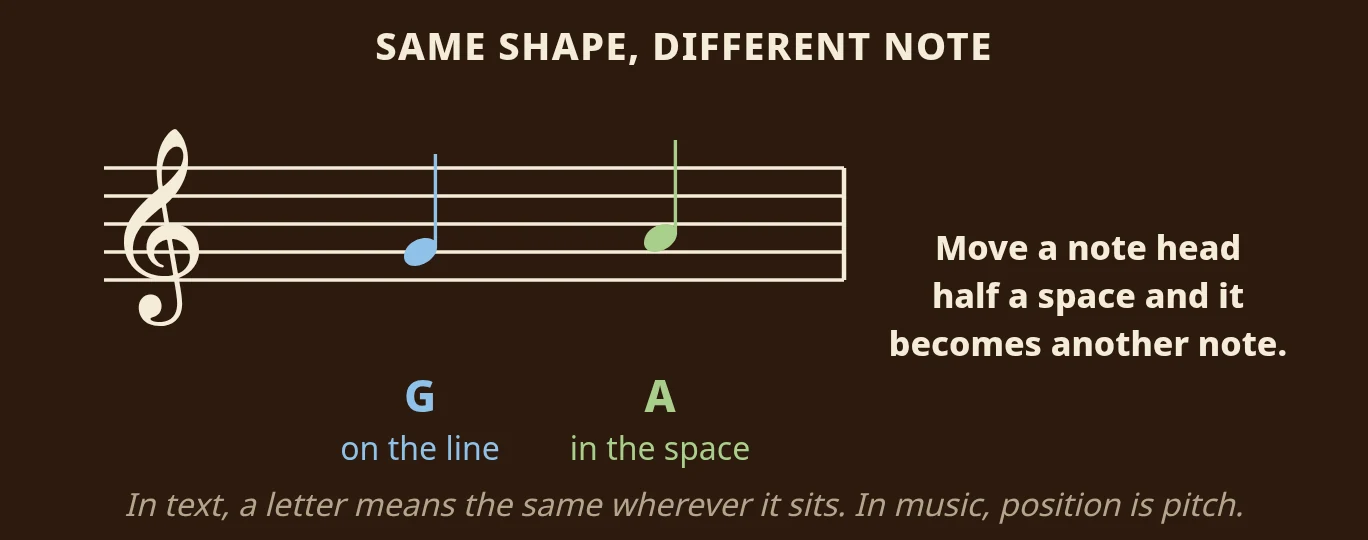
On the treble staff, a note head on the second line is G. Move it up half a space, into the space above, and it is A. So a computer cannot just recognise the shape. It has to measure the shape's position against the staff lines precisely. The right shape in the wrong place is a completely wrong note.
One symbol changes many notes
Text letters are independent: a typo affects one word. Music symbols reach forward and change notes that come after them.
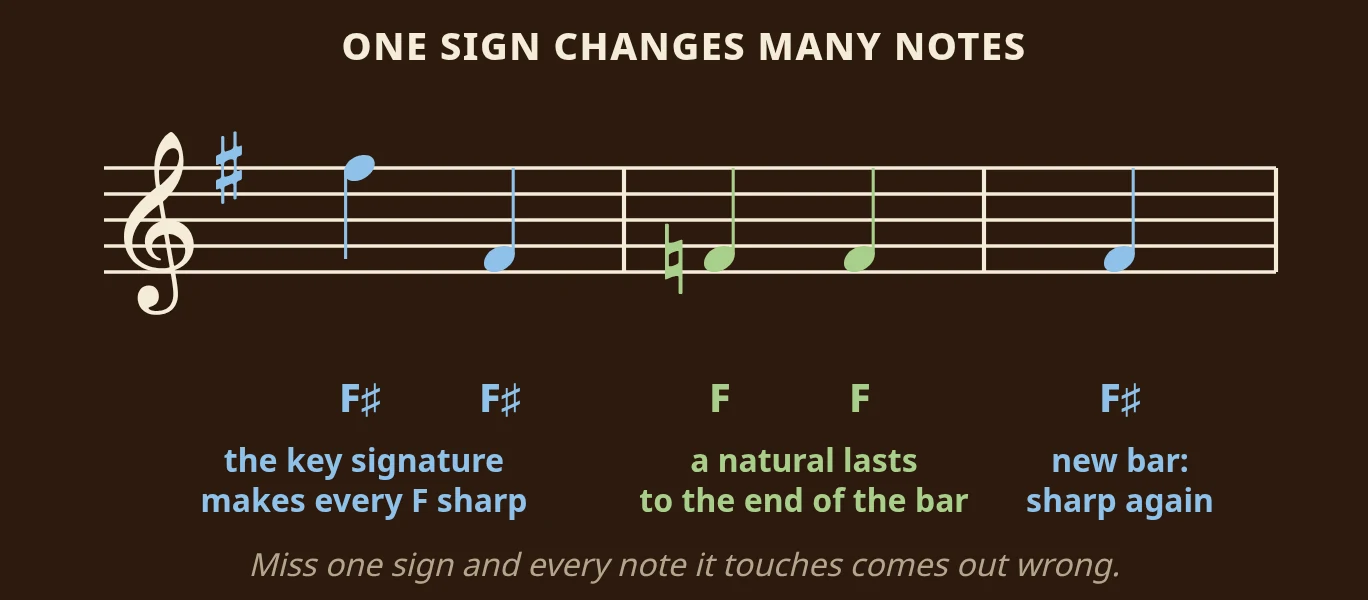
A key signature sharp on the F line makes every F in the piece an F sharp, in every octave. A natural sign in front of an F cancels the sharp on that F until the end of the bar, and the next bar starts fresh. A clef changes every note after it. So one misread symbol does not produce one wrong note; it can produce a wrong page.
Several things happen at once
Text runs in one line. Music stacks. A single staff can carry two independent voices with different rhythms. A piano brace joins two staves into one instrument, while an orchestral page carries a dozen staves that are separate players. Working out what belongs with what is a structural problem before it is a recognition problem.
Symbols overlap and touch
Engravers squeeze beams, slurs, ties, ledger lines and dynamics into a small space, and in dense writing they collide. Separating a slur from the stem it crosses has no real equivalent in printed text. In a fast piano passage, a slur can cut straight through three stems and a beam, and the scanner has to work out that the curve is not part of any note.
There is no dictionary
Text recognition leans heavily on language: "teh" is almost certainly "the". Music has conventions, but no lookup that says a passage must be those notes. The strongest check a computer has is arithmetic: does each bar add up?
How optical music recognition works, step by step
Systems differ, but nearly all of them pass through the same stages in roughly this order.
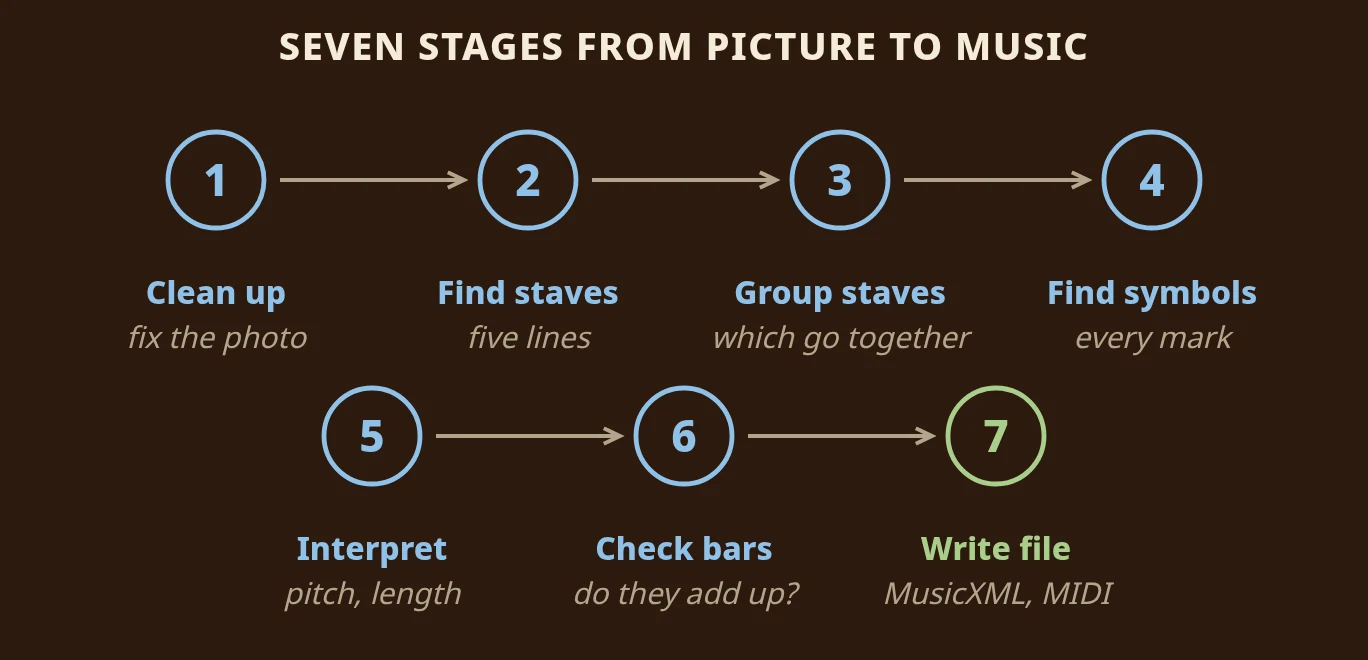
Step 1: Clean up the image
The system straightens the image, corrects the perspective, evens out the lighting and separates ink from paper. With a phone photo, much of the work happens here.
Step 2: Find the staves
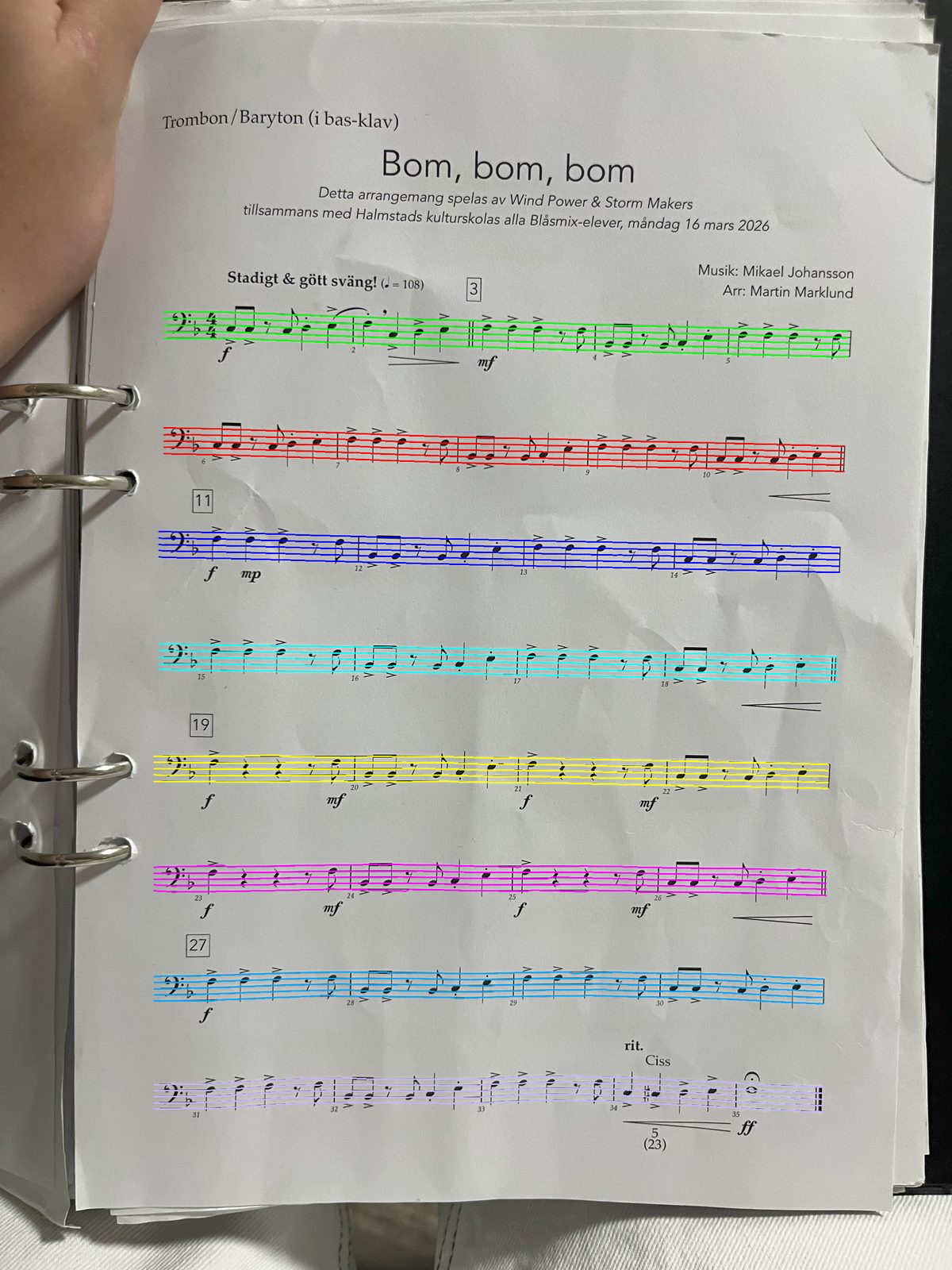
Next it finds every five-line staff on the page. Everything afterwards is measured against these lines, so a mistake here spoils everything that follows.
Step 3: Group the staves
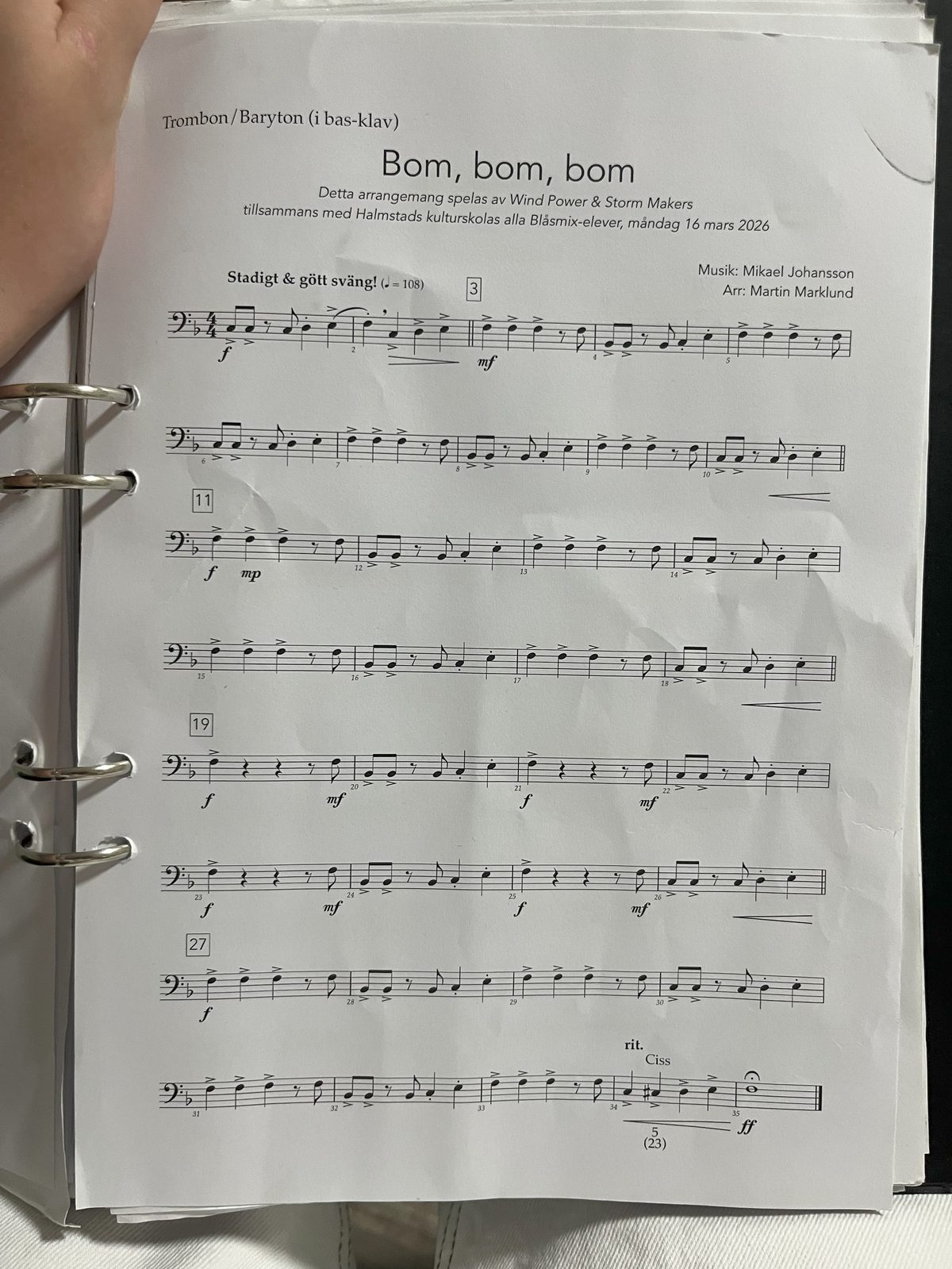
Then it works out which staves belong together: two staves joined by a brace are one piano, while two separate staves might be a flute and a bassoon. It is one of the quietest and most important places where things can go wrong. If the grouping is wrong, two unrelated parts play at once.
Step 4: Find the symbols
Now it identifies every mark: note heads, stems, beams, flags, rests, accidentals, clefs, time signatures and more, and records exactly where each one sits.
Step 5: Work out the music
This is where symbols become music. Positions become pitches, using the clef and the key signature. Shapes and beams become lengths. Notes are sorted into voices, and accidentals are carried through to the end of their bar.
Step 6: Check that every bar adds up
Each bar must hold exactly the number of beats its time signature asks for. A bar that does not add up is a sign that something earlier went wrong.
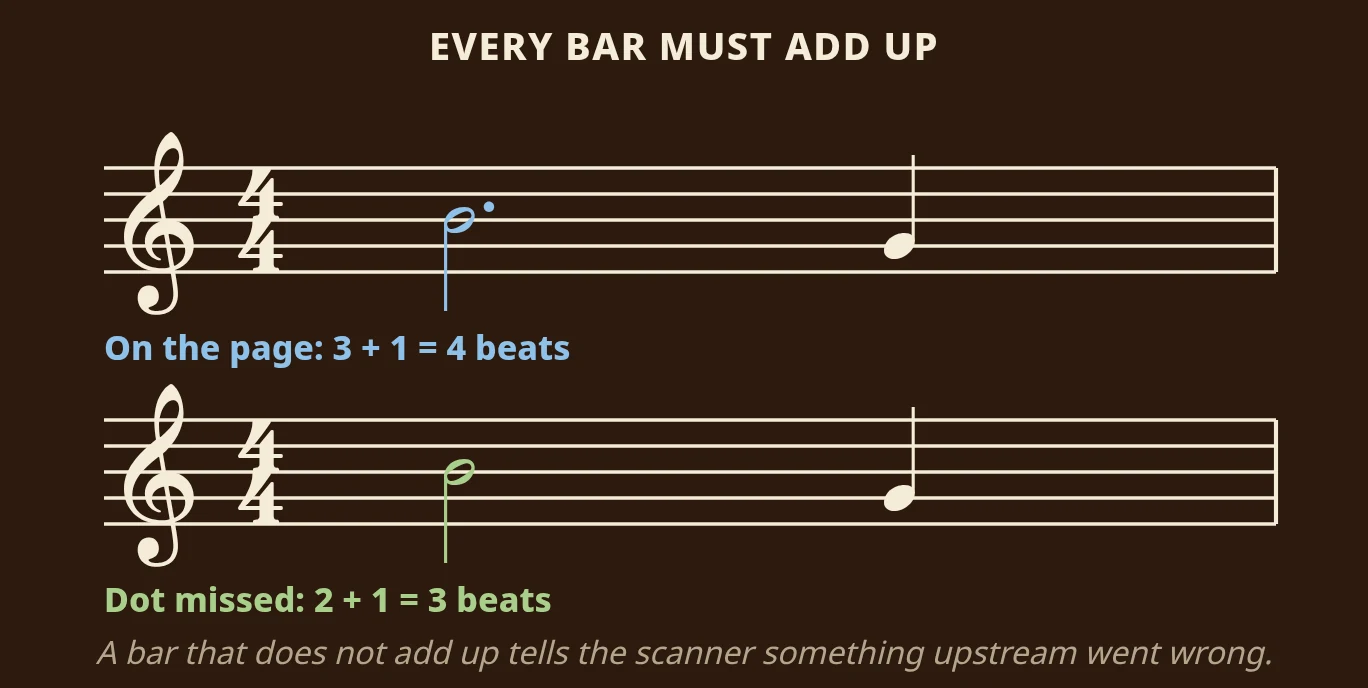
In this 4/4 bar, a dotted half note (three beats) and a quarter note (one beat) make four beats. If the small dot is missed, the half note only lasts two beats and the bar adds up to three. The system knows something is wrong, and can look again at the symbols in that bar.
Step 7: Write the file
Finally, the result is written out as MusicXML, which keeps the written score with its clefs, spelling and beams, or as MIDI, which keeps the notes as a list of sound events. An app can then play the score back.
Why phone photos are the hard case
Almost all published OMR research assumes a flat scan: the page pressed against glass, evenly lit and square to the sensor. A phone photo breaks that in four ways at once.
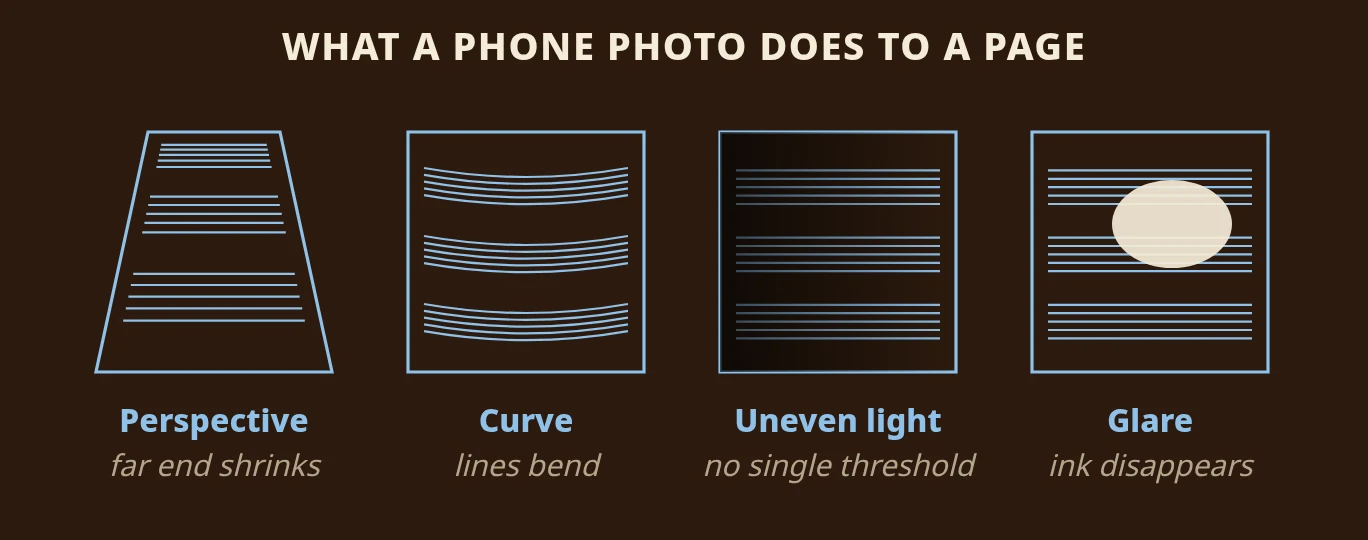
- Perspective shrinks the far end of the page, so the staff spacing is no longer constant.
- Curvature from a bound book bends the staff lines that everything is measured against.
- Uneven light means no single setting can separate ink from paper across the whole page.
- Glare wipes out whatever is underneath it.
That gap is measurable. On our 31-piece benchmark, which counts a note only if its pitch, start and length are all correct, Audiveris, the best free scanner we tested, scored 88% on clean renders and 50% on the same pieces made to look like moderate phone photos. Sheetly scored 97.37% and 97.34%. These are our own measurements, scored over the same pages by an identical scorer, and the method is written up on the benchmark page. Sheetly uses AI plus a lot of its own code to read the page, and most of that code exists because of the four problems above.
Optical music recognition software and apps you can use
You do not need to build any of this yourself. Optical music recognition tools come in two kinds: phone apps that read a photo and play the music back, so you can practise it or export it, and desktop programs that read a scanned page into a file you correct and open in notation software. Which kind you want depends on what you plan to do with the page.
| Tool | Runs on | Cost | Best for |
|---|---|---|---|
| Sheetly | iPhone, iPad | Paid (Forte) | Photograph a page, hear it, practise it |
| PlayScore 2 | iOS, Android | Free tier, paid plans | Fast, offline reading and practice on the phone |
| Sheet Music Scanner | iOS, Android | Paid | Exporting MIDI, MusicXML, audio or PDF |
| ScanScore | Desktop, companion phone app | Paid, tiered | Correcting a scan before you export it |
| PhotoScore & NotateMe | Desktop, mobile | Paid | Pages from a real scanner, Sibelius world |
| Audiveris | Desktop | Free, open source | Flat scans, with an editor |
Sheet music recognition apps for your phone
A phone app is the easy way to try sheet music recognition: you point the camera at the page and the app reads it. Sheetly runs on iPhone and iPad. It plays the score back with a playhead that follows the notes, and lets you slow it down, loop a bar, hear it on another instrument, record a take, or ask the built-in coach about the page. PlayScore 2 runs on iOS and Android and reads the page instantly on the device itself, so it works offline. It plays the page back, loops a selected passage, and has a count-in and a metronome. There is a free tier, with MusicXML export on a higher plan. Sheet Music Scanner is a paid app on iOS and Android with a wide list of instruments and a tempo setting, and it exports MIDI, MusicXML, audio and PDF.
Optical music recognition software for a computer
Desktop OMR software is mostly about turning a page into a file you can edit. ScanScore is a paid desktop program, priced by how many staves you need, with a companion phone app and a correction editor, so you can fix a misread note by hand before you export. PhotoScore & NotateMe come from the Sibelius world: paid, mature, with a careful correction workflow, and built for pages from a real scanner. If you plan to edit the music in notation software, a desktop tool with an editor is the right choice.
Is there free, open source optical music recognition software?
Yes. Audiveris is free, open source desktop software, and it is the best free optical music recognition software we have tested: 88% on our clean benchmark suite. It expects flat scans and has an editor for corrections. On a phone, PlayScore 2’s free tier is the place to start. If you have a flatbed scanner and a computer, try Audiveris before you pay for anything.
To choose, start with what you want at the end. If you want to hear the page and practise it, use a phone app. If you want an editable file, use desktop software with a correction editor. Our guide to the best sheet music scanning software and apps compares them side by side, with a pick for each device.
What optical music recognition still cannot do
For clean, printed, single-line music, OMR is close to solved. These cases are not:
- Handwritten music. Printing is standardised; handwriting is not. It remains an open research problem, and any product claiming to have solved it deserves careful testing. See what to do with a handwritten page.
- Dense orchestral scores. Many staves, small print and heavy overlap make every difficulty above worse at once.
- Tablature and chord diagrams. These are different symbol systems from staff notation, and they need their own purpose-built recognition.
- Interpretation. OMR recovers what is written. Rubato, voicing and pedalling are the performer's decisions.
Whichever tool you use, try it on one of your own pages first, and check the result before you rely on it.
Put optical music recognition to work
The best way to understand OMR is to try it on a page you care about. That is what we built Sheetly for. Photograph a printed page with your iPhone or iPad, and Sheetly reads it and plays it back with a playhead that follows the notes. Listen once to check the read, then loop the hard bar, slow it down, hear it on another instrument, or ask the built-in coach about the notes it read on your page.
Questions
What does OMR stand for in music?
In music, OMR stands for optical music recognition, also called sheet music recognition. OMR software reads printed notation from a scan or a photo and turns it into a file a computer can play or edit, usually MusicXML or MIDI. Outside music, OMR usually means optical mark recognition, the technology that reads filled-in bubbles on test forms.
What is the difference between OMR and OCR?
OCR reads printed text, where each letter means the same wherever it sits, so a text OCR tool can read the title and lyrics of a score but not its notes. OMR reads printed music, where a symbol's position on the staff decides its pitch, one sign can change many later notes, and several voices can sound at once.
Is there free optical music recognition software?
Yes. Audiveris is free, open source optical music recognition software for desktop computers. It works best with flat scans and has an editor for corrections. On a phone, PlayScore 2 has a free tier on iOS and Android, with paid plans for more.
How accurate is optical music recognition?
It depends on the page and the photo. On clean printed music, the best systems get nearly every note right. Phone photos are harder: on our 31-piece benchmark, Audiveris, the best free scanner we tested, fell from 88% to 50% on simulated phone photos, while Sheetly held above 97%.