
Why you would want a file rather than a sound
Playback answers “what does this sound like?”. A file answers “what do I do with it next?”: transpose it into a singable key, drop it under a track in a DAW, hand a student the left hand alone, or open it in notation software and start arranging.
Turning a printed page into either kind of file means reading the notation first. That is optical music recognition, and it is the same process whether you point a camera at the page or feed in a PDF. Only once the notes exist as data can they be written out as MIDI or MusicXML.
MIDI and MusicXML are not the same thing
This trips up more people than anything else in the whole subject, and choosing the wrong one wastes an evening.
MIDI is performance
A MIDI file is a list of events: this note starts here, lasts this long, at this velocity, on this channel. It is what instruments and DAWs speak. It knows a note is sounding, but it does not really know whether that note is written as an F sharp or a G flat, which staff it belongs to, or that the composer beamed it in threes. Those are notation ideas, and MIDI does not carry them.
MusicXML is notation
A MusicXML file is the written score: clefs, key signatures, enharmonic spelling, voices, beams, slurs, articulations, repeats, which hand plays what. It is the interchange format notation programs use to talk to one another. MuseScore, Sibelius, Finale and Dorico all read and write it.
Going to a DAW like Logic, Ableton, FL Studio or Reaper? Export MIDI. Going to notation software to edit or print? Export MusicXML. If you genuinely are not sure, export MusicXML: it carries strictly more information, and converting it down to MIDI afterwards is easy, whereas the reverse is guesswork.
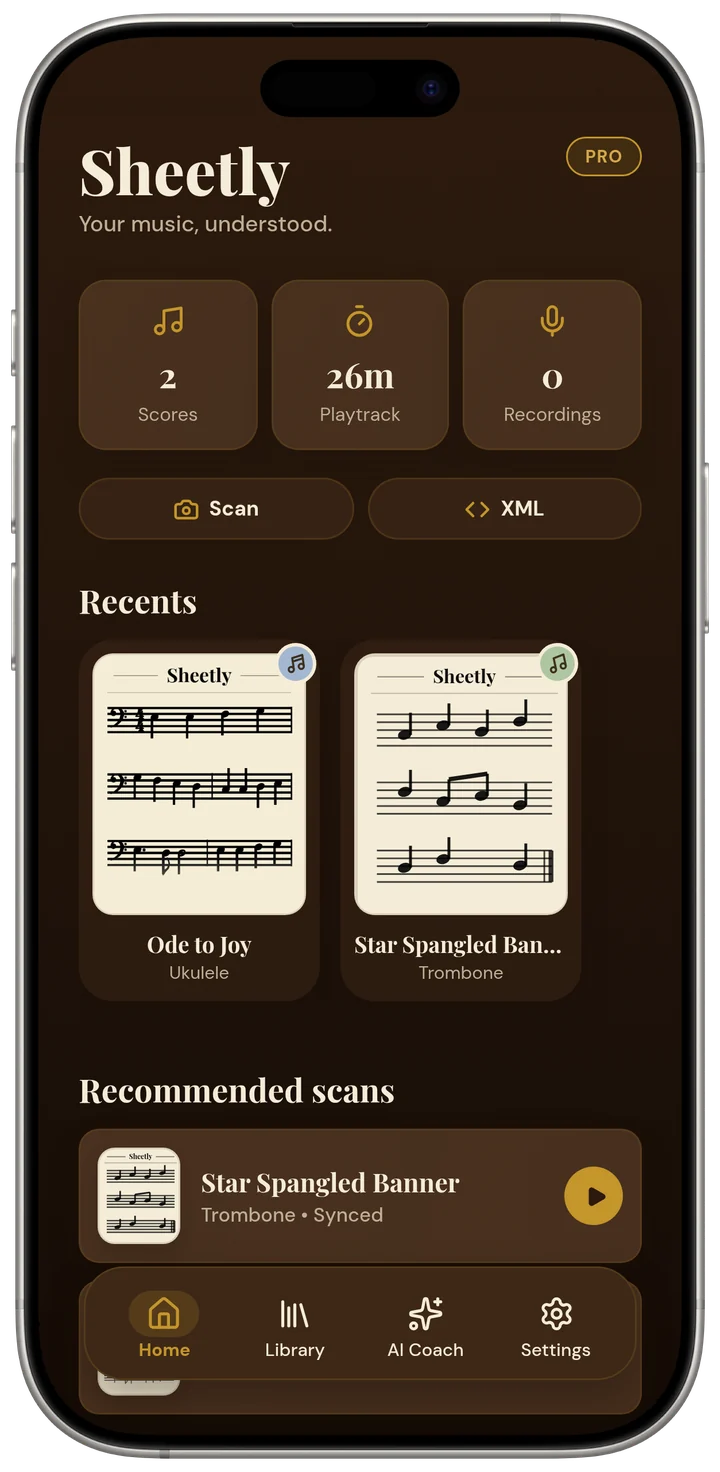
The Sheetly player on an iPhone. Every page you scan opens like this, ready to play, loop and slow down.
Converting a printed page, step by step
- Get a good image of the pageA phone photograph works if it is flat, square-on and evenly lit. The six habits are here. A PDF or an existing photo works too.
- Let it be readRecognition finds the staves, identifies clefs and key signatures, decodes the notes and checks that each bar has the beats it should.
- Listen to it before you exportThis is the step people skip and then regret. Play the score straight through once. A misread pitch or a rhythm that has gone astray is glaring in the ear and nearly invisible on the screen, and it is far cheaper to catch now than after it is buried in a DAW session.
- Rescan anything that sounds wrongMost errors are photographic, not musical. A better photograph fixes more than manual editing will, and takes ten seconds.
- Export the format you actually needSheetly exports MIDI, MusicXML and PDF. Pick using the rule above.
- Open it where it is goingMusicXML into MuseScore, Sibelius, Finale or Dorico. MIDI into your DAW, where it will land as a clip you can quantise, re-voice and arrange.
What survives the conversion, and what does not
No conversion is lossless, and knowing where the losses are saves you from blaming the wrong thing later.
Usually comes through cleanly
- Pitches and rhythms: the substance of the page.
- Clefs, key signatures and time signatures.
- Bar structure, and repeat marks in straightforward cases.
- Which staff a note belongs to, which is what keeps two-hand piano music readable.
Often needs a look
- Complicated repeat structures: first and second endings, D.C. al Coda, jumps that assume a human reader.
- Ornaments. A trill is one symbol on the page and a decision about many notes in a MIDI file.
- Tuplets nested inside other tuplets, where the arithmetic gets genuinely hard.
- Dynamics and expression marks, which are interpretation as much as instruction.
- Pedalling, fingering and editorial marks, which vary between editions.
- Lyrics: text under a staff, not notes. MusicXML can carry them; MIDI has nowhere to put them.
Where the file goes next
Into notation software
MusicXML opens directly in MuseScore, Sibelius, Finale and Dorico. From there you can transpose the whole piece into a key a singer can reach, pull out a single part, change the layout, or start arranging.
Into a DAW
MIDI drops into Logic, Ableton, FL Studio, Reaper and the rest as an editable clip. Assign whatever instrument you like, adjust the timing, and use the printed page as the skeleton for something else.
Or nowhere at all
Worth saying: if what you wanted was to learn the piece, you may not need a file. Looping four bars at sixty per cent tempo, hearing them correctly, and playing along is usually the shorter route, and it is what scanning is really for.
Ask Sheetly: a coach that has read your score
Not a chatbot bolted onto a music app. The coach has the actual notes of the page you just photographed, so you can ask about your bar 12 and get an answer about what is written in it.
We know of no other sheet-music scanner that does this. Every other tool on this page hands you a transcription and stops.
 Free to download · iPhone and iPad
Questions
Can you convert a PDF of sheet music to MIDI?
Yes. A PDF of printed notation is read the same way a photograph is: the page is scanned with optical music recognition and the recognised notes are written out as MIDI. Note that a PDF is still a picture of a page unless it was exported from notation software, so it goes through recognition like any other image.
Is MIDI or MusicXML the better export?
MusicXML if you are going into notation software, because it keeps the written score: clefs, key signatures, beaming, articulations, the visual layout. MIDI if you are going into a DAW, because it keeps the performance data your instruments need. If you are unsure, export MusicXML: it holds more, and almost anything can turn MusicXML into MIDI later.
Will the MIDI file sound like a real performance?
No, and it is not meant to. MIDI from a scan is a literal reading of what is printed: exact durations, even dynamics, no rubato, no pedalling beyond what is marked. That literalness is useful for practice and for editing, and it is the starting point rather than the finished thing.
Does converting sheet music to MIDI break copyright?
Scanning music you own for your own study and practice is generally fine in most places, in the same way photocopying a page for your own use is. Distributing the resulting file is a different question entirely, and copyright in the underlying composition and in the particular published edition can both apply. If you intend to share or publish anything, check the position where you live.
Can I convert handwritten sheet music to MIDI?
Not reliably. Optical music recognition is trained on printed and engraved notation, and handwriting varies far too much between copyists for current systems to handle dependably.