PDF to MusicXML: How to Turn a Sheet Music PDF Into an Editable Score
Need to convert a PDF to MusicXML so you can edit the music? In this guide, we explain the difference between the two formats, walk you through the conversion step by step, and show you exactly what to check afterwards, with a picture for each part.


You have a PDF of sheet music. Maybe a director emailed it, maybe you downloaded it from a public-domain library, maybe it is an arrangement you want to change. You need it in a key a singer can reach, with one part pulled out, or simply in a form your notation software can open. That means converting the PDF to MusicXML.
A PDF is only a picture of music. It knows where the ink is, and nothing about the notes. MusicXML is the music itself: every pitch, rhythm, clef and key stored as data that a notation program can open, transpose, re-engrave and play. Getting from one to the other means reading the picture, which is what optical music recognition does.
In this guide we explain the difference between the two formats, walk you through the conversion step by step, and show you, with a picture for each, the things worth checking once you have the file.
What is MusicXML, and why can't a PDF do the same job?
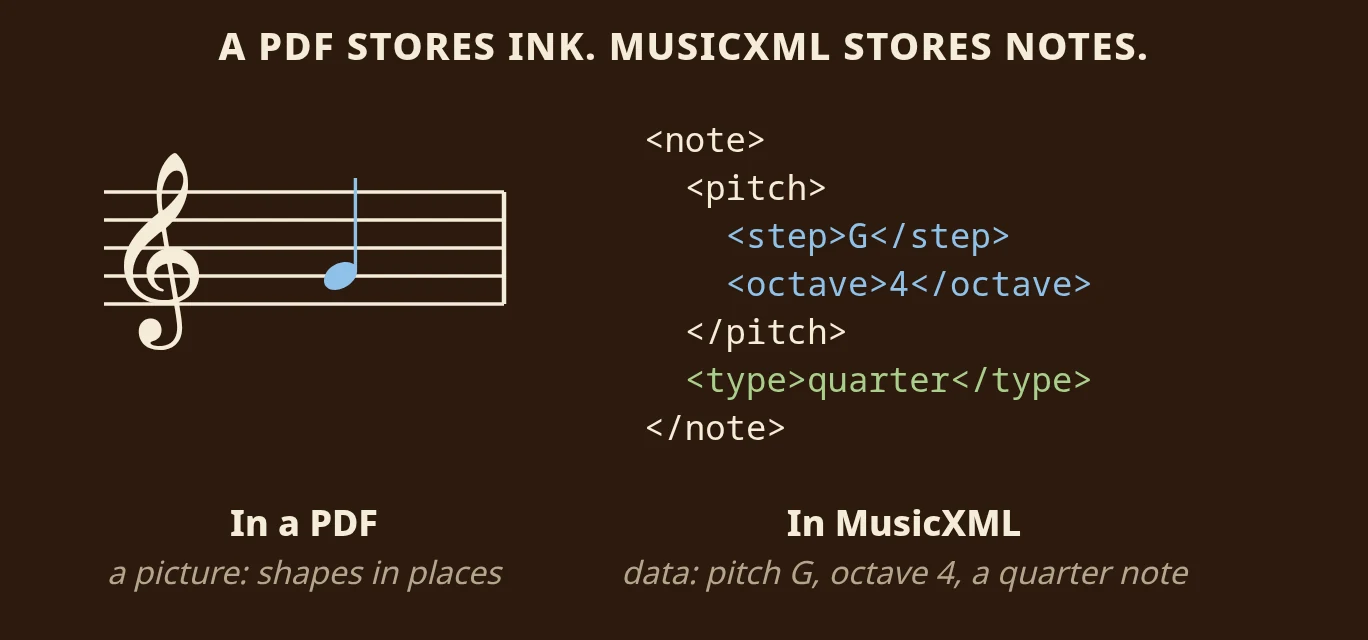
To a computer, a PDF of a G is a black oval at a certain spot, a thin line next to it and five long lines behind it. MusicXML describes the same note as a note: pitch G, octave 4, a quarter note long. Because the meaning is stored, software can do things with it, such as transposing it up a step or playing it back.
MusicXML is the format the notation world agrees on. MuseScore, Sibelius, Dorico, Finale, Guitar Pro and most practice apps read it, and most write it. Unlike MIDI, it keeps the clefs, key, beaming, ties and the two staves of a piano part. The difference between the two is explained in full in our sheet music to MIDI guide.
One surprise: a PDF almost never contains MusicXML already. Even a PDF exported straight from notation software is usually just a vector drawing with no musical meaning. So it goes through recognition like a photographed page, with the same cautions. The good news is that a PDF is the best input a scanner ever sees: already flat, square and evenly lit.
How to convert a PDF to MusicXML
Step 1: Import the PDF
In Sheetly, choose import rather than the camera, and pick the PDF from Files, iCloud Drive, Mail or wherever it is saved. Multi-page PDFs import as one piece, so you do not need to split them first.
Step 2: Let the recognition run
The pages are read on our servers and come back as a score. This step needs a connection; nothing afterwards does.
Step 3: Press play, once, all the way through
Listen while you follow the playhead. A misread clef, a missed key signature or a dropped bar is obvious to the ear long before you would spot it on screen. Note the bar numbers of anything that sounds wrong.
Step 4: Export MusicXML
Sheetly also exports MIDI and PDF, but MusicXML is the one to edit. Save it to Files, AirDrop it to a Mac, or share it straight into your notation app.
Step 5: Open it and check bar one
In MuseScore, Sibelius, Dorico or Finale, check the clefs, key signature and time signature in bar one. If one of them is wrong, fix it there first, and most of the score usually falls into place. Then work through the checks below.
What to check after converting
Pitches and rhythms convert well from a clean printed PDF. On Sheetly's own 31-piece benchmark of clean printed scores, measured strictly (a note only counts when its pitch, start and length are all correct), the score was 97.37%. Clefs and key signatures, including changes partway through, usually come through cleanly too. But text, fingering, dynamics and lyrics are where every recognition system, ours included, is least reliable. Give these a deliberate pass.
Does every bar add up?
A bar that does not add up to its time signature is the most common sign that something went wrong, and the easiest to spot in a notation editor, which usually flags it. Very often the cause is a tuplet that lost its bracket.
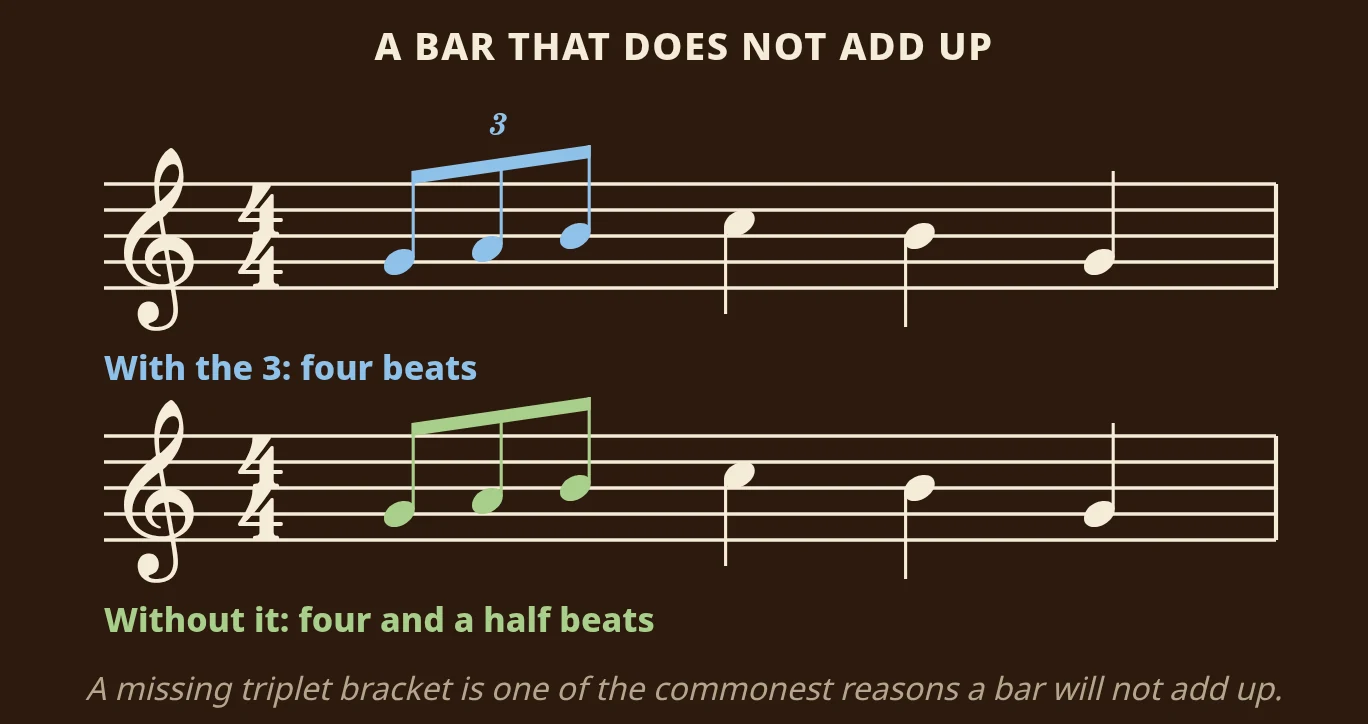
A triplet squeezes three eighth notes into the time of two, so the three of them together last one beat. In the top bar, with the small 3, the beats are 1 + 1 + 1 + 1 = 4. In the bottom bar the 3 is missing, so the eighth notes count as normal: 1½ + 1 + 1 + 1 = 4½. That is half a beat too many. If you see a bar like that, look at the PDF for a small 3 and add the triplet back.
Are the ties really ties?
A tie and a slur look almost the same on the page: a thin curved line. But they mean very different things, and the difference matters for playback.
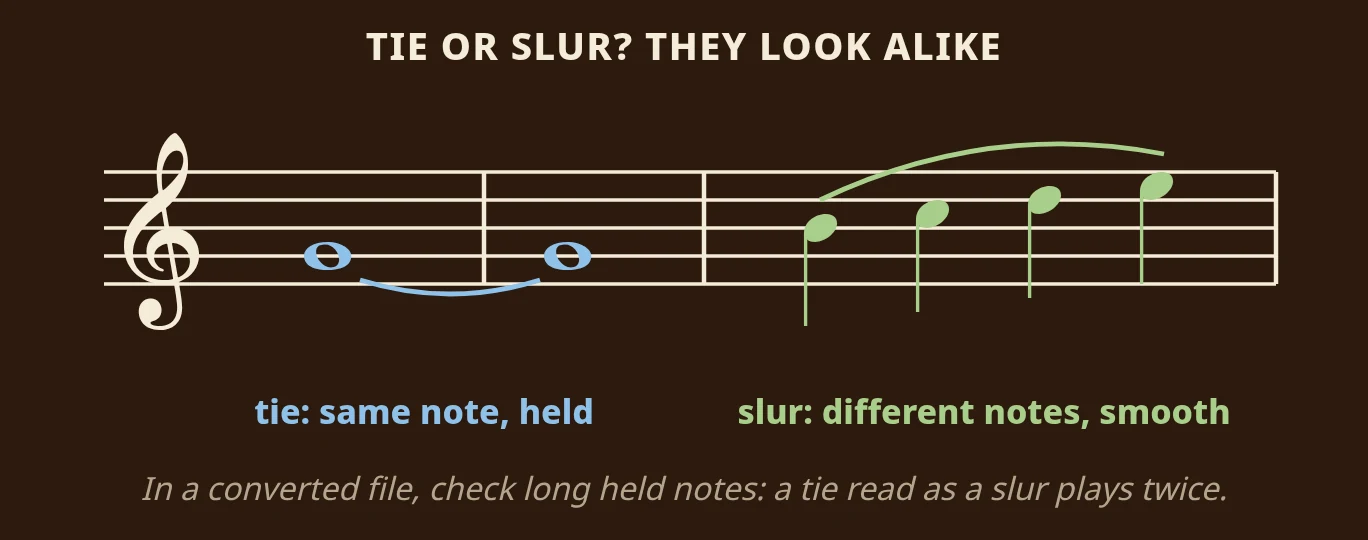
A tie joins two notes of the same pitch, and you hold them as one long note. A slur joins notes of different pitches, and you play each one, smoothly connected. The distinction is usually read correctly, but glance at long held notes. A tie read as a slur makes a held note play twice.
The rest of the checklist
- Voices. A staff with two voices, stems up and down, is the hardest thing to read. Check it first if a bar sounds crowded or thin.
- Lyrics and text. Tempo marks, expression text, rehearsal letters and lyrics may be missing or misplaced. Re-entering them in the editor is quicker than hunting for them.
- Fingering and articulation. Treat these as absent and add the ones you need.
- Repeats and endings. Repeat barlines and first- and second-time brackets are read, but a missed one silently shortens the piece. If the length feels wrong, count the bars against the PDF.
- Staff grouping. Two staves braced as a piano should stay a piano, and four staves of a string quartet should stay four parts.
A scanned PDF is not a clean PDF
Many PDFs are scans of paper: skewed, grey, with a spine shadow down one side. They read less cleanly than a PDF exported from notation software. On a public set of 60 systems cut from real scanned pages, not made by us, Sheetly scored 92.3% on average and 99.3% at the median, with usable output for all 60. Most conversions are nearly perfect and a few are not, so listen before you trust the file.
When a desktop editor is the better tool
If you need a corrected, publication-quality MusicXML file from a long or complex score, a desktop recognition program with a built-in correction editor is a better tool than any phone app, Sheetly included. These programs let you fix misread notes in place before exporting; Sheetly does not have a correction editor.
- ScanScore is built around exactly this desktop workflow: scan, see what it got wrong, correct it, export MusicXML. It is paid and tiered by how many staves it will read.
- PhotoScore & NotateMe is the long-standing professional option, closely tied to Sibelius, with a mature correction workflow, priced for professionals.
- Audiveris is a free desktop program. It expects flat scans, needs some setup and includes an editor. On our clean benchmark it scored 88% against Sheetly's 97.37%, but for a clean PDF on a desktop computer it is still a genuinely good answer.
We have not measured ScanScore, PhotoScore or Sheet Music Scanner through our own harness, so the numbers above only compare Sheetly with tools anyone can run.
Hear it, practise it, then export it
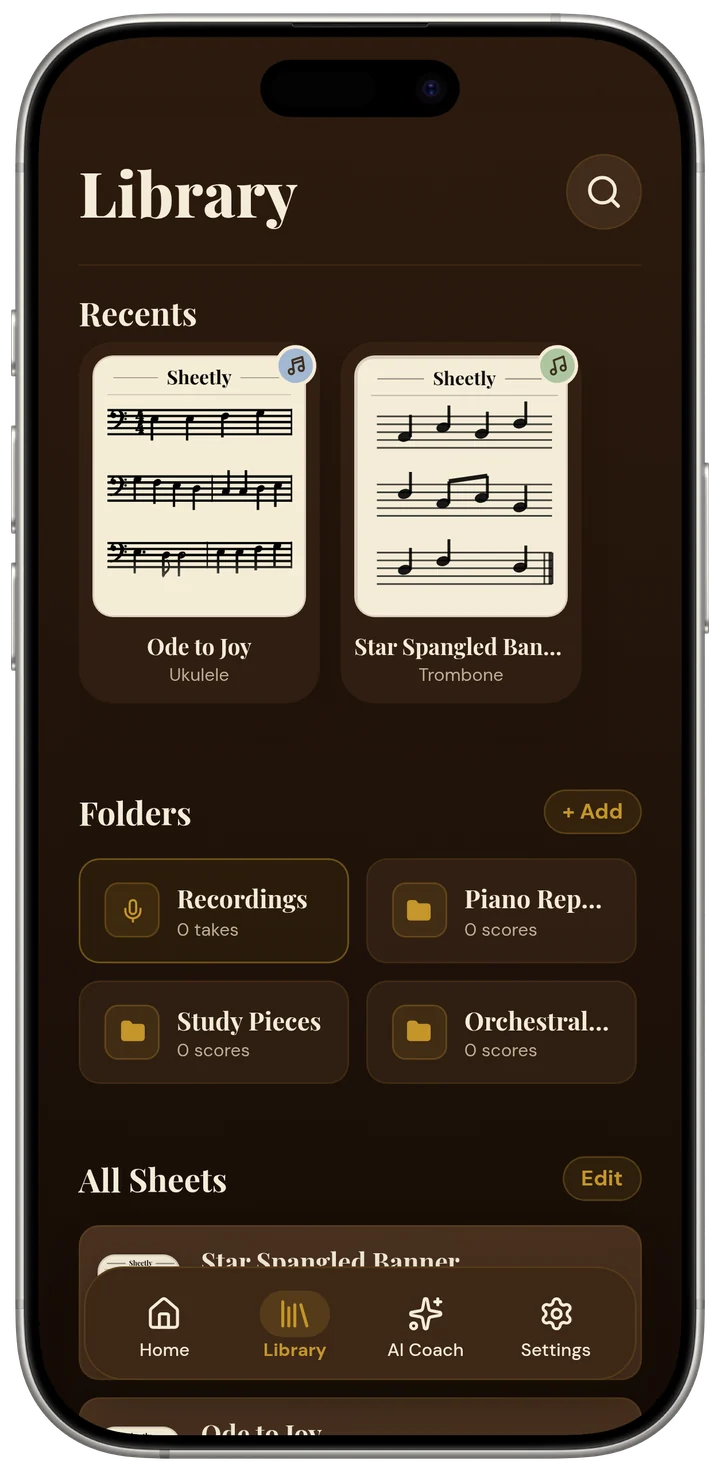
Sheetly is the better choice in the situation most people are actually in: a PDF on your phone that you want to hear, practise, and perhaps hand to notation software for light editing, without sitting at a desk. Import the PDF on your iPhone or iPad and Sheetly plays it back with a playhead that follows the notes. Loop a passage, slow it down, play it on piano, organ, flute or another instrument, and record your own take.
For a conversion, the built-in coach is a second pair of eyes. It has the actual notes of the score, so it can tell you what time signature it sees, how many bars it counted, what key the piece is in and whether it changes, or whether bar 17 really has a triplet in it.
Questions
Can I convert a PDF to MusicXML for free?
Yes, on a desktop computer. Audiveris is a free program that expects a flat scan or a clean PDF and includes an editor for corrections. On iPhone and iPad, Sheetly imports a PDF, plays it back and exports MusicXML.
What is the difference between MusicXML and MXL files?
An MXL file is compressed MusicXML: the same score data zipped into a smaller file. Notation programs that read MusicXML generally open both.
Does my PDF already contain MusicXML?
Almost never. Even a PDF exported from notation software is usually just a drawing of the notes, so it needs optical music recognition to become MusicXML.
Why does a bar in my converted file not add up?
The most common causes are a tuplet that lost its bracket or two voices merged into one. Compare the bar with the PDF, look for a small 3 above a group of notes, and fix it in your notation software.